Blog

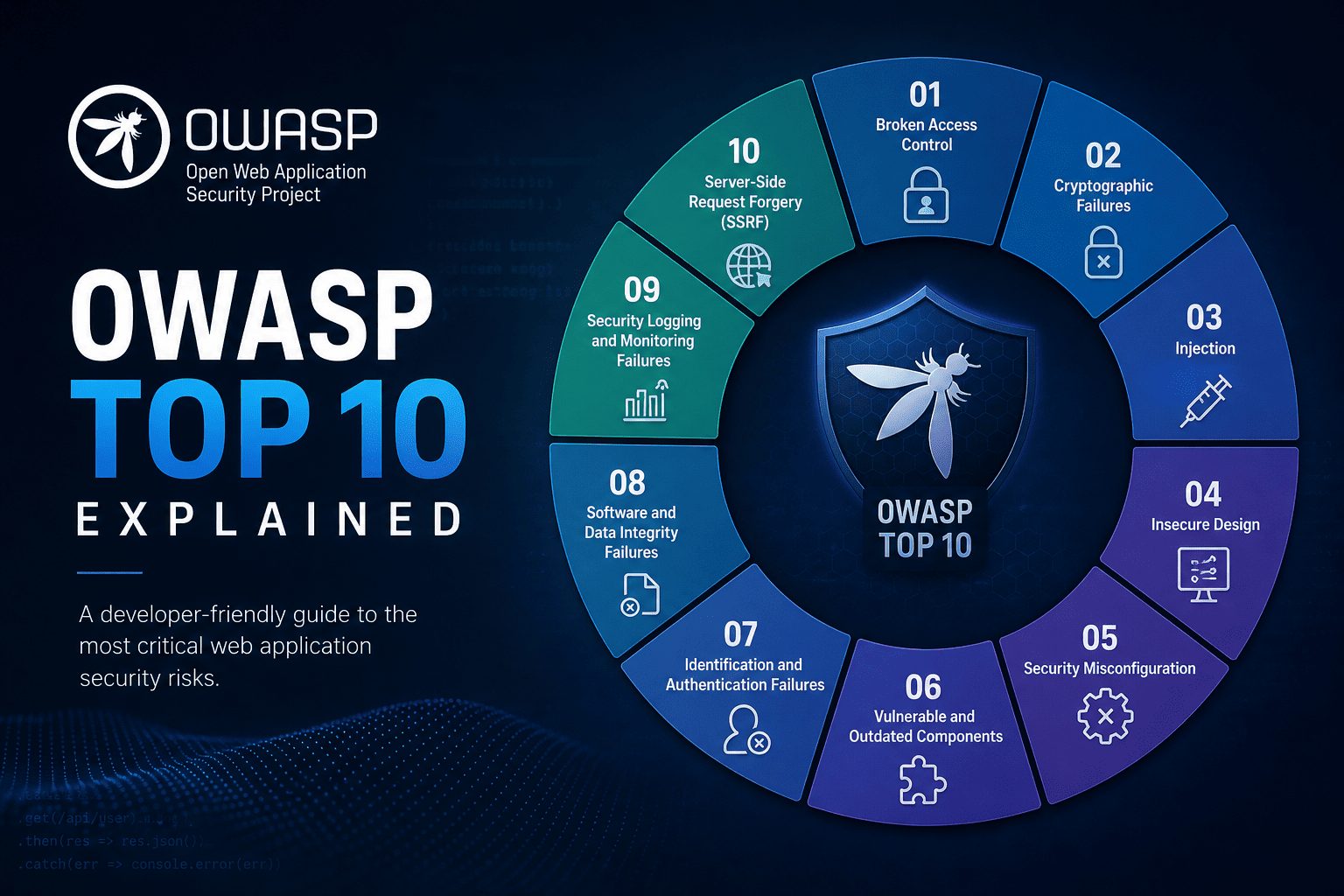
  • OWASP Top 10 Explained: A Practical Guide to Website Security

    OWASP Top 10 Explained: A Practical Guide to Website Security

    owasp

    1. What Is the OWASP Top 10, and Why Does It Matter?

    The OWASP Top 10 is an awareness document describing ten critical categories of web application security risk. It helps developers, engineers, website maintainers and owners understand common weaknesses and prioritize safer decisions before those weaknesses become costly incidents.

    OWASP stands for the Open Worldwide Application Security Project, a nonprofit foundation that provides security resources. Its official OWASP Top 10 project page explains the risks and links to guidance for addressing them. This guide covers the OWASP Top 10:2025 edition, including categories such as Broken Access Control, Security Misconfiguration and Software Supply Chain Failures.

    These risks matter because application security affects more than code. A weakness in an online store could expose customer information, let someone take over an account or interrupt checkout. The consequences can include lost sales, recovery costs and damaged trust.

    For website teams, the list provides a shared starting point for discussing what could go wrong and where protection needs improvement. You do not need to be a security specialist to use it, but you do need to connect its lessons to your website’s features, data and users.

    2. How to Use the OWASP Top 10 Without Treating It as a Checklist

    Each OWASP Top 10 entry describes a broad risk category, not a single bug to fix and check off. In an online store with customer accounts, checkout and an administrator dashboard, broken access control could let customers view another shopper’s orders or reach administrative functions. These are different weaknesses within the same category.

    Use the list to guide awareness and priorities. It is not a complete security standard, a certification or proof that your website is secure. Your store may also have business-specific risks, such as checkout rules that allow discounts to be combined in unintended ways.

    Responsibility should be shared but explicit:

    • Developers implement safeguards in application code.
    • Maintainers manage updates, dependencies and configuration.
    • Owners fund security work and assign accountability.

    Protection works best in layers. Secure design establishes the rules, careful implementation enforces them, and dependency management reduces exposure through third-party software. Testing checks whether controls work, while monitoring helps identify suspicious activity and failures after deployment.

    Automated scanners support this work, but they cannot reliably detect every authorization or business-logic flaw. A scanner may flag an outdated library yet miss that one customer can access another’s invoice. Combine automated checks with manual reviews of important user journeys.

    3. OWASP Top 10 Risks 1–5: Access, Configuration, Dependencies, Encryption and Injection

    A01:2025, Broken Access Control

    Users can access information or actions beyond their permissions. In an online store, changing an order ID might reveal another customer’s purchase. Enforce authorization on the server for every relevant request, and deny access by default.

    A02:2025, Security Misconfiguration

    Unsafe settings leave applications exposed. For example, a production checkout page might display debugging errors containing sensitive details. Harden production configurations, disable unnecessary features and keep secrets out of public files.

    A03:2025, Software Supply Chain Failures

    Weaknesses in dependencies, build systems or software distribution can compromise your website. A compromised package could introduce malicious code during an update. Track dependencies, review updates and protect build pipelines with restricted access.

    A04:2025, Cryptographic Failures

    Missing or misused cryptographic protections expose sensitive information. For example, customer details sent without HTTPS can be intercepted. Enforce HTTPS, use established cryptographic libraries, protect encryption keys and store passwords using appropriate password-hashing algorithms, such as Argon2id.

    A05:2025, Injection

    Untrusted input becomes part of a command or executable content. For example, an unsafe search field could let input alter a database query. Use parameterized queries for database operations and context-appropriate output encoding when displaying untrusted content. Input filtering alone is not a sufficient defense.

    4. OWASP Top 10 Risks 6–10: Design, Authentication, Integrity, Monitoring and Error Handling

    A06:2025, Insecure Design

    Security safeguards are missing from the application’s design. For example, an online store’s password-reset flow allows unlimited automated requests. Define security requirements before implementation, use threat modeling to identify potential threats, and review how legitimate features could be abused.

    A07:2025, Authentication Failures

    Weak login or session controls let attackers impersonate users. For example, repeated password guesses face no meaningful resistance. Use multifactor authentication where appropriate, secure session handling, and rate limits or other defenses against automated login attacks.

    A08:2025, Software or Data Integrity Failures

    The application trusts software or data without adequate integrity checks. For example, it accepts an update without verifying authenticity. Verify trusted sources and signatures where applicable, and avoid unsafe deserialization, which can turn untrusted stored or transmitted data into dangerous application behavior.

    A09:2025, Security Logging and Alerting Failures

    Suspicious activity goes unrecorded or unnoticed. For example, repeated administrator login failures generate no alert. Record useful security events, protect logs against unauthorized access or alteration, and assign responsibility for investigating alerts.

    A10:2025, Mishandling of Exceptional Conditions

    Unexpected failures trigger unsafe behavior. For example, an authorization check encounters an error, but checkout administration remains accessible. Fail securely by denying access when checks fail, handle errors consistently, and test unusual conditions without exposing sensitive details.

    5. Turn OWASP Guidance Into a Practical Website Security Routine

    Start with a repeatable process that turns OWASP awareness into assigned work:

    1. Inventory applications and dependencies, including plugins, third-party services and software versions.
    2. Identify sensitive data and privileged functions, such as customer records, payment workflows and administrator access.
    3. Review relevant OWASP risks against those systems and workflows.
    4. Assign remediation owners and deadlines, then verify that fixes work.

    Prioritize by exposure, exploitability and business impact, not category ranking alone. A publicly reachable authorization flaw may need attention before a low-impact internal configuration issue.

    Establish the foundations: supported software, timely security updates, HTTPS, least-privilege access, protected secrets and multifactor authentication for administrative accounts.

    Build dependency scanning, code review and automated security testing into development and maintenance. Add manual authorization testing and security-focused regression tests to catch permission failures and prevent fixed weaknesses from returning. Test only systems you own or are authorized to assess.

    Small teams can start with a manageable baseline and expand it. Document incident-response contacts, configure actionable alerts and test backups regularly. Backups support recovery, but do not prevent vulnerabilities.

    For detailed requirements, use the OWASP Application Security Verification Standard. For implementation guidance, consult the OWASP Cheat Sheet Series.

    6. Keep Learning From OWASP and Make Security Continuous

    The OWASP Top 10 gives website teams a shared vocabulary for important application risks. Its value comes from applying that knowledge consistently across design, development and operations, not from reviewing the list once and considering security finished.

    Start with three practical steps:

    1. Review one critical user journey. Choose a process such as signing in, resetting a password or completing checkout. Check how it handles permissions, sensitive information and unexpected failures.
    2. Address the highest-impact weakness you discover. Consider the likely harm to customers and the business, then assign someone responsibility for fixing and verifying it.
    3. Schedule a recurring security review. Revisit protections after significant releases, dependency changes or new features. Give each review an owner so it becomes part of routine maintenance.

    Use the official OWASP Top 10 project page to explore the current edition, category explanations and linked guidance. Share relevant material with everyone responsible for building, maintaining or funding your website, so security decisions do not depend on one person’s knowledge.

    Understanding the basics helps teams ask better questions and make safer decisions. No single list, tool or review can eliminate every risk. The clear takeaway: use OWASP as a foundation for continuous security work, not as a finish line.
  • Email Security Guide to Stop Spam and Phishing

    Email Security Guide to Stop Spam and Phishing

    Email Security

    Email security is not only an IT problem; it is a business risk. Spam wastes time, but phishing can steal passwords, money, and data in minutes. The goal of this guide is to help you stop spam and block phishing with practical steps that work today. You will learn how to spot scams, tune filters, set SPF/DKIM/DMARC, train staff, and secure accounts with 2FA and backups.

    Email Security Guide: Stop Spam and Phishing Now

    Email is the top attack path for malware, ransomware, and business email compromise. Attackers use social engineering, look‑alike domains, fake login pages, and urgent messages to trick users. A single click can expose credentials or start a wire transfer fraud. A layered security plan reduces risk by combining people, process, and technology.

    Start with a risk-based approach. Identify your key email domains, critical roles (finance, HR, executives), and third‑party senders. Map where your email is hosted, who can send on your behalf, and how messages flow in and out. This inventory guides your controls and helps you avoid gaps that spammers and phishers exploit.

    Build layers that fail safely. Use strong inbound spam filtering, link protection, and attachment sandboxing. Add sender authentication (SPF, DKIM, DMARC) to block spoofing. Enforce multi‑factor authentication for accounts and least‑privilege admin access. Back this with clear playbooks: how to report a suspicious email, how to reset a compromised account, and how to notify customers if needed.

    Measure and improve. Track metrics like phishing click rate, report rate, time to remediate, and DMARC alignment. Review quarantined mail for false positives and tune rules. Run regular phishing simulations and update training with real examples. Small, steady improvements make your email security stronger month after month.

    How to Recognize Phishing Emails and Scams

    Check the sender closely. Display names can be faked; always inspect the full email address and domain. Look for look‑alikes like paypaI.com (with a capital i) or subdomains like login.security.example.bad.com. Be cautious with messages from free email services pretending to be official finance or IT accounts.

    Watch for urgency, threats, and pressure to act fast. Common lures include password resets, invoice payments, delivery issues, and tax refunds. Hover over links to confirm the real URL before clicking, and avoid logging in from email links. Be wary of attachments such as .html, .iso, .zip, .exe, and unexpected macros in Office files. QR‑code phishing (quishing) is rising; treat QR codes in emails like links.

    Verify out of band. If an email asks for payment changes, gift cards, or sensitive data, confirm with the sender using a known phone number or chat, not the contact info in the email. For internal requests that feel odd, trust your instincts and double‑check with your manager or IT. When in doubt, report it and wait for guidance.

    Quick Q&A: How do I spot a fake login page? Check the domain in the browser address bar and the certificate details; use bookmarks for critical sites. What if the email looks like it is from my boss? Call or message them directly on a known channel to confirm. Is spelling still a red flag? Yes, but targeted spear phishing often looks perfect—context and verification matter more than typos.

    Set Strong Spam Filters and Block Junk Mail

    Use the spam filters provided by your email platform, and turn on advanced protections. Enable features like machine‑learning classification, reputation checks, attachment scanning, and time‑of‑click link protection. Set quarantine policies so suspicious emails are held for review, and send daily digests so users can release legitimate messages if needed.

    Tune sensitivity to your risk tolerance. If you get frequent phishing attacks, increase the score threshold and quarantine more aggressively. Create allowlists for trusted senders with good authentication, and blocklists for known spam sources. Review false positives weekly and adjust rules to avoid disrupting the business.

    Reduce graymail (marketing clutter) to limit distraction and risk. Encourage users to click the legitimate list‑unsubscribe link when safe, and consider automatic filtering of bulk mail using headers like List‑ID and Precedence. Create rules that flag or banner external emails and those with risky attachments or mismatched URLs. The clearer the signal, the fewer mistakes users make.

    Set up an easy “Report Phishing” button in the email client. Route reports to a shared mailbox or security tool that can auto‑analyze, remove copies from other inboxes, and provide feedback to the reporter. The faster you confirm or contain a campaign, the less damage it does. Closing the loop builds a strong security culture.

    Use SPF, DKIM, and DMARC to Protect Email

    SPF, DKIM, and DMARC are essential to stop email spoofing. SPF lists which servers may send mail for your domain. DKIM adds a cryptographic signature that proves the message was not changed and came from an approved sender. DMARC tells receiving servers how to handle messages that fail SPF/DKIM and checks domain alignment to block look‑alike abuse.

    Start by publishing SPF and DKIM for every mail source you use: your main mail provider, marketing platforms, CRM, support desk, billing tools, and cloud services. Keep SPF under the 10‑DNS‑lookup limit and use include statements carefully. Generate DKIM keys per provider and rotate keys periodically. Test each sender before going live.

    Deploy DMARC in phases: begin with p=none and add rua/ruf addresses to collect aggregate and forensic reports. Review reports weekly to find unauthorized senders, misconfigured services, and alignment issues. When clean, move to p=quarantine for a few weeks, then to p=reject to block spoofed messages at the doorstep.

    Level up with supporting standards. Enable TLS for transport security and add MTA‑STS and TLS‑RPT to enforce and monitor TLS delivery. Consider BIMI to show a verified brand logo once DMARC is at quarantine or reject, which can improve trust and engagement. If you handle forwarded mail or mailing lists, evaluate ARC to preserve authentication results across hops.

    Train Staff to Spot Spoofing and Phishing

    Make security awareness simple, short, and frequent. Monthly five‑minute lessons with real examples beat long annual courses. Teach core topics: how to verify senders, spot fake links, handle attachments, and report suspicious messages. Reinforce that it is okay to pause and ask for help.

    Run ethical phishing simulations tailored to your environment. Start easy, then increase difficulty with targeted lures like vendor invoices or HR notices. Share results as lessons, not blame. Celebrate reports of real attacks and show how fast actions reduced risk. Over time, aim to raise report rates and lower click rates.

    Provide just‑in‑time coaching. Add banners to external emails and those that fail authentication. Pop up a warning when a user clicks a risky link or tries to email data outside the company. These small nudges at the right moment prevent mistakes without slowing the business.

    Focus extra training on high‑risk roles: finance teams handling wire transfers, executives targeted by whaling, HR staff reviewing attachments, and IT admins with elevated access. Build clear runbooks for payment changes, vendor setup, and urgent requests. Require out‑of‑band confirmation for any change to banking details or gift card purchases.

    Secure Accounts: 2FA, Passwords, and Backups

    Turn on multi‑factor authentication for every account, starting with admins and VIPs. Prefer phishing‑resistant methods like FIDO2 security keys or device‑bound passkeys. If not available, use an authenticator app (TOTP). Use SMS as a last resort, and add number‑change alerts to reduce SIM‑swap risk. Require MFA for third‑party integrations where possible.

    Adopt strong password hygiene. Use a password manager and unique passphrases for every site. Enforce length over complexity; a 14‑character passphrase is both strong and memorable. Disable legacy protocols that bypass MFA (like IMAP/POP for mailboxes) unless absolutely required, and audit app passwords and OAuth grants regularly.

    Harden account recovery and admin access. Set up secure recovery methods, restrict admin roles to the few who need them, and require MFA step‑up for risky actions. Enable login alerts, device approval, and session timeouts. Review sign‑in logs for anomalies like impossible travel, unfamiliar IPs, and repeated failures.

    Plan for failure with backups and restoration. Keep immutable backups of email and critical files, separate from production. Test restores so you can recover from ransomware or account compromise. Enable retention policies and legal hold where needed. Patch devices, use endpoint protection, and manage mobile devices with the ability to remotely wipe a lost phone.

    Stopping spam and phishing takes a layered plan: smart users, tuned filters, authenticated mail, strong accounts, and tested recovery. Start with quick wins like MFA, reporting buttons, and DMARC at p=none with monitoring, then mature toward quarantine/reject and role‑based training. With steady tuning and clear workflows, your inbox becomes a safer place—and attackers have a much harder time getting in.

  • Complete Guide to Web Application Firewall WAF

    Complete Guide to Web Application Firewall WAF

    A web application firewall, or WAF, is one of the most effective ways to protect websites and APIs from common attacks without slowing down development. Think of it as a smart security layer that sits in front of your app and filters bad traffic before it reaches your code. In this complete guide to WAF, you’ll learn what a WAF is, how it works, and the best practices to deploy, tune, and maintain it for strong and reliable web application security.

    What Is a Web Application Firewall (WAF)?

    A Web Application Firewall is a security control that monitors and filters HTTP and HTTPS traffic between a client and a web application. Unlike a traditional network firewall that focuses on IPs, ports, and protocols, a WAF operates at Layer 7 and understands web requests, parameters, headers, and payloads. This application awareness allows it to block threats like SQL injection, cross-site scripting, file upload abuse, and other risks highlighted in the OWASP Top 10.

    WAFs come in several forms: cloud WAF delivered at the edge, on-premises or virtual appliances you manage, and WAF as part of a CDN or WAAP (Web Application and API Protection) platform. Cloud WAFs are quick to deploy and scale easily, while on-premises WAFs give you more control and can satisfy strict data residency or regulatory needs. Many teams start with a cloud WAF to gain fast coverage, then refine policies as their traffic and compliance needs evolve.

    Beyond blocking attacks, a WAF provides visibility and control. It helps with PCI DSS 6.6 compliance requirements, supports virtual patching for zero-days, and integrates with DevSecOps workflows. With detailed logs and analytics, a WAF turns noisy web traffic into actionable security signals, making it easier for security and engineering teams to collaborate on risk reduction without disrupting release cycles.

    How a WAF Works: Core Features and Benefits

    At its core, a WAF inspects each request and response, applying rules that look for suspicious patterns, anomalous behavior, and known bad signatures. It can enforce both a negative security model (block known bad) and a positive security model (allow known good), sometimes combining them for better accuracy. Advanced engines add behavior scores, reputation feeds, and machine learning to adapt to new attack techniques while reducing false positives.

    Key capabilities include rate limiting, bot mitigation, and IP reputation filtering to cut automated abuse like credential stuffing and carding. Many WAFs validate JSON and XML payloads for API security, enforce HTTP method and content-type controls, and apply path-based policies. Features like TLS termination, header normalization, and security header enforcement (HSTS, CSP, X-Frame-Options) improve baseline hygiene. With geo-blocking, virtual patching for CVEs, and granular rules per endpoint, a WAF helps contain risk quickly.

    The benefits are practical and measurable. You get stronger protection against OWASP Top 10 risks, faster response to zero-days, and reduced load on your origin by filtering malicious traffic early. Detailed request logs help investigations and feed SIEM and SOAR tools for better incident response. With a well-tuned WAF, teams lower mean time to detect and remediate, protect uptime during L7 DDoS events, and support compliance without adding heavy friction to development.

    WAF Setup Best Practices, Tuning, and Rules

    Start with a careful rollout. Put the WAF in monitoring or detection-only mode first to learn your normal traffic and reduce false positives. Baseline your endpoints, parameters, and authentication flows, then move high-confidence rules to block mode. Segment policies by environment and application, keep custom rules in version control, and test changes in staging with canary releases before you push to production.

    Tune for precision and performance. Use allowlists for trusted services and health checks, and create path-based policies for sensitive routes like login, checkout, and admin pages. Limit HTTP methods and content types per endpoint, set strict upload size limits, and validate file extensions and MIME types. Add rate limits by IP, user, and API token to protect login and search endpoints, and enable bot challenges where appropriate. For APIs, enforce schema validation, reject unknown fields, and consider mTLS for machine-to-machine traffic.

    Maintain a continuous improvement loop. Review WAF logs daily at first to catch false positives and refine rules quickly. Track metrics like false-positive rate, rule hit counts, blocked vs allowed traffic, latency overhead, and incident response times. Keep your core rule set (such as the OWASP ModSecurity CRS) up to date, apply virtual patches for new CVEs, and audit policies regularly for drift. Document ownership, change windows, and rollback steps, and automate WAF configuration with infrastructure as code to ensure consistent, repeatable security.

    FAQ: Web Application Firewall (WAF)

    Q: Is a WAF enough to secure my app?
    A: No. A WAF is a strong layer in defense in depth, but you still need secure coding, regular patching, dependency scanning, and runtime monitoring.

    Q: What’s the difference between a WAF and an API gateway?
    A: An API gateway focuses on routing, authentication, throttling, and developer experience. A WAF focuses on security inspection and threat mitigation. Many teams use both, or a WAAP that blends features.

    Q: Will a WAF slow down my site?
    A: A well-tuned WAF adds minimal latency, often a few milliseconds. Use edge deployments, cache-friendly rules, and avoid overly complex custom logic on hot paths.

    Q: Can a WAF stop DDoS attacks?
    A: It helps with application-layer (L7) DDoS like request floods. For large volumetric (L3/L4) DDoS, pair your WAF with a network-level DDoS protection service.

    Q: Cloud WAF or on-premises WAF?
    A: Choose cloud WAF for speed, scale, and global reach. Choose on-prem for strict data control, custom routing, or specialized compliance.

    Q: How do I measure WAF ROI?
    A: Track reduced incidents, fewer fraudulent or abusive requests, lower origin load, faster zero-day response, and less downtime during attack spikes.

    Q: How do I reduce false positives?
    A: Start in monitor mode, tune high-traffic routes first, use allowlists and parameter-specific rules, and review logs daily until stable.

    Q: Do I need a WAF if I already use a CDN?
    A: Many CDNs include a WAF, but depth and features vary. Ensure you get robust rules, good analytics, and API security capabilities.

    A Web Application Firewall gives you fast, adaptable protection for websites and APIs by stopping attacks at the edge before they hit your code. When you deploy it in monitor-first mode, tune rules to your traffic, and keep policies fresh with automated updates, a WAF delivers high-impact security with low friction. Combined with secure development and strong observability, it becomes a cornerstone of modern web application and API security.

  • October 2026 PHP vulnerability update and fixes

    October 2026 PHP vulnerability update and fixes

    October 2026 brought an important PHP security update cycle that developers and sysadmins should not ignore. While exact details vary by operating system and packaging source, the month’s advisories focus on reducing remote code execution risk, tightening memory safety in core and bundled extensions, and addressing edge cases in request handling. This article summarizes what matters, how to verify your exposure, and the safest way to patch and harden today.

    October 2026 PHP Security Vulnerability Overview

    October 2026 advisories for PHP emphasize a familiar theme: small, low-level bugs can create big, high-impact security problems in production. Issues in input parsing, edge-case type juggling, and error handling can become practical chains for attackers when combined with weak configuration. For most teams, the real risk is less about exotic exploits and more about how routine web endpoints, file uploads, and deserialization paths are exposed to untrusted input.

    Even when your application code is careful, the PHP runtime and its native extensions sit on a wide stack of shared libraries. Image, XML, ZIP, cURL, and OpenSSL dependencies can propagate vulnerabilities into PHP processes if not updated in lockstep. October’s updates again reinforce that “fully patched” means your OS packages, container base images, and PHP extensions all need to move together.

    Attackers continue to automate exploitation soon after public disclosure. Bots probe for known PHP signatures, path translation quirks, and misconfigurations like unsafe file operations or URL wrappers. If your servers are internet-facing and lag behind on patches, detection windows shrink quickly. Teams that standardize on rapid patch rollouts, configuration hardening, and continuous monitoring see far fewer incidents and a dramatically smaller blast radius when zero-days surface.

    Affected PHP versions, CVEs, and real-world risk

    The October 2026 updates affect multiple supported 8.x branches distributed by upstream PHP, Linux distros, and Windows builds. Because exact CVE lists and version boundaries vary by vendor, you should confirm details from authoritative sources: the official PHP Release Announcements and Security pages, your distribution’s security advisories (e.g., Debian, Ubuntu, RHEL, Alpine), and your container registry’s security feed. Always verify both your PHP engine version and the versions of compiled-in libraries reported by php -i.

    Real-world risk depends on how your app uses PHP features. Endpoints that touch file system paths, process archives (zip/phar), parse XML, or rely on unserialize-like behavior are traditional hot spots. Config choices such as allowing URL streams, permissive FPM settings, and broad filesystem access can turn a moderate bug into a reliable exploit. In shared hosting or multi-tenant environments, even “medium” severity flaws can become lateral-movement opportunities.

    If you maintain multiple environments, assume they are not equally exposed. Containers built months ago often carry stale PHP or library layers even if your source code is current. Likewise, long-lived VMs on LTS distros can silently miss security updates when third-party repositories are pinned. Your fastest low-effort risk reduction is to inventory running PHP versions, identify drift between environments, and standardize on a patched baseline.

    Patch and upgrade guide: secure your PHP apps now

    Start by identifying what you run. On each host or container, record the outputs of: php -v, php -m, and php -i | egrep ‘^(Configure Command|Loaded Configuration File|extension_dir|libxml|curl|SSL|GD)’. Note your package source (OS repo, Ondrej Sury PPA, Remi repo, upstream tarball, Homebrew, Windows zip/installer) and your process manager (PHP-FPM, Apache mod_php, PHP CGI). If you use Docker, inspect your base image tag and run a scanner like trivy or grype to spot OS- and PHP-level CVEs.

    Apply patches using your platform’s supported channel. Debian/Ubuntu: ensure your PHP repo (e.g., sury.org for modern PHP) is current, then apt update && apt install –only-upgrade ‘php‘ and restart services. RHEL/CentOS/Alma/Rocky: enable Remi’s safe repository for your PHP stream and dnf upgrade –advisories=security ‘php‘. Alpine: apk upgrade –update –available php php-*. macOS: brew upgrade php. Windows: download the latest non-thread-safe or thread-safe build from windows.php.net and replace binaries carefully. For Docker, bump the official image tag to the latest patched minor (e.g., php:8.x-fpm-alpine), rebuild without cache, and redeploy.

    Validate and roll out safely. Run php -v to confirm the new version and build date, php -i to verify linked libraries, and composer audit to catch package-level advisories. Restart PHP-FPM and your web server, clear opcache, and monitor logs for warnings or deprecations. Use canary releases and health checks to surface regressions early. Document the change: the patched PHP version, the advisory links you followed, and the date/time of deployment—all invaluable during incident reviews or compliance audits.

    Mitigation, hardening tips, and exploit detection

    Combine patching with pragmatic hardening. In php.ini, set: expose_php=Off, allow_url_fopen=Off (unless you explicitly need it), allow_url_include=Off, file_uploads=On with strict size and mime checks, open_basedir to least privilege, and disable_functions for high-risk utilities you never use (e.g., exec, shell_exec, system, passthru, procopen, popen, pcntl* where safe). For FPM, require a dedicated Unix user per app, use chroot or container isolation where possible, set a tight umask, and prefer Unix sockets with strict permissions over world-accessible TCP. Lock down writable directories to only those the app truly needs, and mount read-only code where feasible.

    Increase runtime visibility and guardrails. Enable FPM slowlog and status pages behind auth, enforce access/error logging at the web server, and deploy a lightweight WAF (e.g., ModSecurity with OWASP CRS or equivalent CDN rules) to blunt commodity attacks. Add continuous scanners: trivy/grype for images, composer audit and roave/security-advisories for dependencies, and a file integrity monitor for webroots and config files. In containers and VMs, strip unneeded packages, drop Linux capabilities, enable seccomp/AppArmor, and keep secrets out of env vars and code repos.

    Quick Q&A for October 2026 patching: Q: Do I still need to upgrade if my app seems fine? A: Yes—security patches address issues you may not see; delay increases risk of opportunistic compromise. Q: I’m stuck on older PHP—what now? A: Migrate to a supported 8.x branch; if that’s not immediate, use vendor backports and apply strict hardening, but treat it as a short-term exception. Q: How do I check for compromise? A: Review web and FPM logs for sudden 5xx spikes, odd query strings, phar:// or data:// usage, unexpected .php files in writable dirs, and new scheduled tasks; consider memory and disk forensics if indicators appear. Q: What’s the safest rollout plan? A: Patch staging first with regression tests, run security scans, then deploy in waves with rollback ready and enhanced monitoring for 24–48 hours.

    The October 2026 PHP security updates are a reminder that disciplined basics—fast patching, least-privilege configuration, and continuous monitoring—deliver the biggest risk reduction. Even without line-by-line CVE details in front of you, you can verify your environment, update through supported channels, and harden the small gaps that turn bugs into breaches. Make a concise playbook from the steps above, run it every patch cycle, and keep your PHP apps resilient against the next wave of exploits.

  • Synchronous vs Asynchronous Encryption in Simple Words

    Synchronous vs Asynchronous Encryption in Simple Words

    synchronous vs asynchronous encryption

    Encryption keeps our data safe. In simple terms, there are two big families: methods where both sides share the same secret, and methods where each side has different keys. People often call these synchronous and asynchronous encryption, but the more common names are symmetric and asymmetric encryption. This guide explains both in plain English, with short code examples and practical tips.

    Synchronous vs Asynchronous Encryption Explained

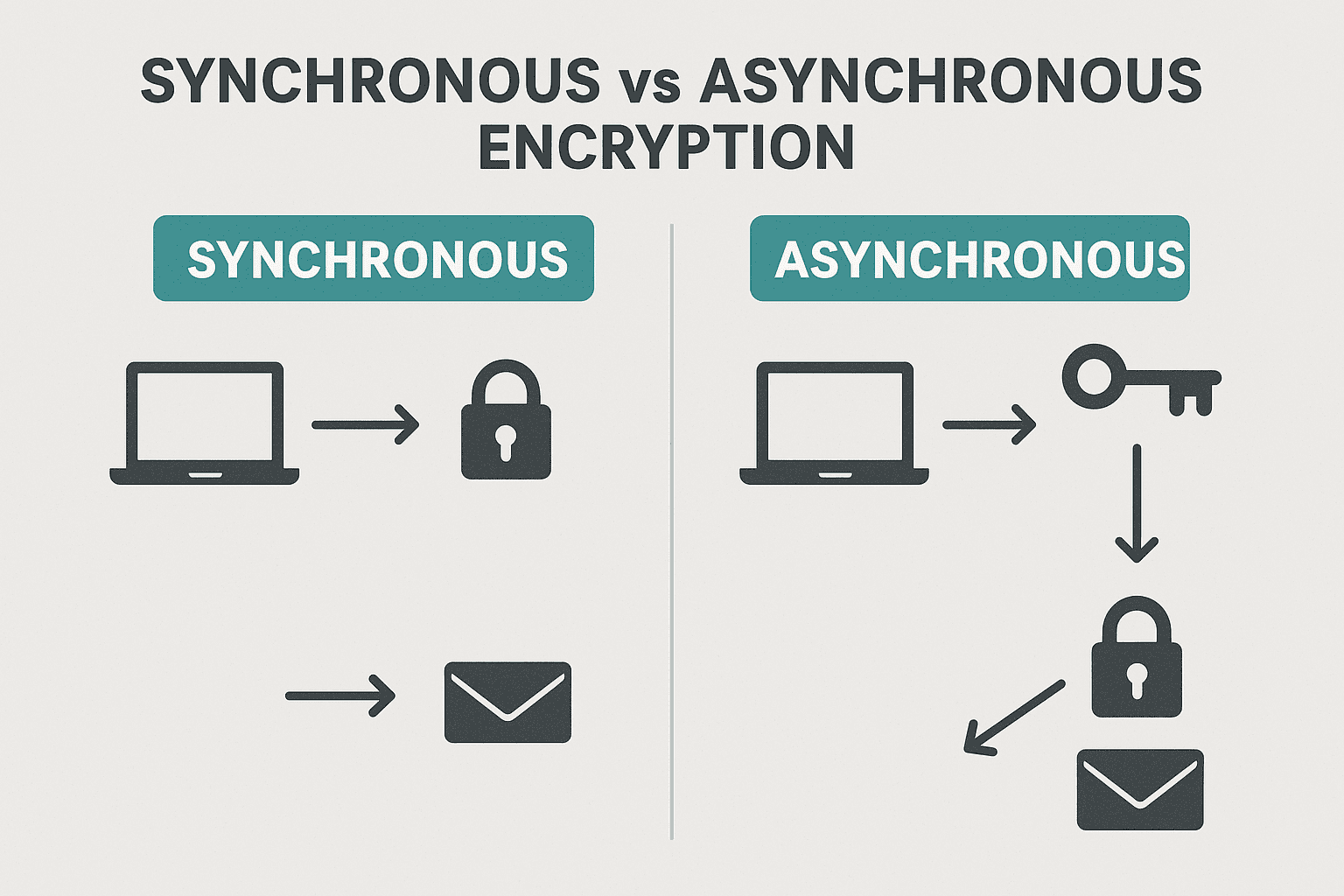
    When people say synchronous encryption in everyday security talk, they usually mean symmetric encryption: the sender and the receiver use the same secret key to lock and unlock data. Think of it like a safe with one combination that both of you know. This is the powerhouse used to protect most data in motion and at rest because it is fast and efficient.

    Asynchronous encryption is the common term for asymmetric encryption: there are two different keys, a public key and a private key. The public key is like a lock you can share with the world, and the private key is the only key that opens it. Anyone can lock a message for you using your public key, but only you can open it with your private key.

    Why does the naming cause confusion? In programming, synchronous vs asynchronous usually describes timing and waiting, not cryptography. But in security writing, some folks casually use synchronous to mean “same key on both sides” and asynchronous to mean “different keys on each side.” In this article, synchronous = symmetric (shared key) and asynchronous = asymmetric (public/private key).

    Real-world use mixes both. Your Wi‑Fi with WPA2 or WPA3 mainly uses symmetric encryption (like AES) to keep traffic fast and secure. When you visit an HTTPS site, your browser first uses asymmetric crypto to safely agree on a shared secret, and then switches to symmetric crypto for the actual data transfer. This combo is called hybrid encryption and is the standard on the internet.

    Speed is the big practical difference. Symmetric encryption is very fast and good for large files or streaming. Asymmetric encryption is slower and better for small things like exchanging keys, verifying identity, and digital signatures. That’s why protocols rarely encrypt entire videos with RSA; they use RSA or Elliptic Curve to set up a safe session, then use AES or ChaCha20 for the heavy lifting.

    A good mental model: asymmetric is for trust and handshake, symmetric is for performance. Use asymmetric to agree on secrets without meeting in person, and symmetric to actually protect the bulk of your data once you share a key.

    Public Key vs Shared Key: What These Terms Mean

    A shared key (symmetric key) is a single secret that both sender and receiver know. If you both keep it safe, you can encrypt and decrypt messages quickly. The tough part is how to share that key securely in the first place. If someone steals it, they can read and forge messages.

    A public key system (asymmetric) gives you a key pair. Your public key is safe to share; your private key must stay secret. If I encrypt with your public key, only your private key can decrypt. If I verify your digital signature, I use your public key to check that only your private key could have created it.

    Key exchange is the art of creating a shared key without anyone else learning it. Modern connections often use Diffie-Hellman or Elliptic Curve Diffie-Hellman so both sides derive the same secret over an insecure network. Certificates and certificate authorities help you trust that the public key you see actually belongs to the website or service you intended, blocking simple man-in-the-middle attacks.

    Digital signatures solve a different but related problem: authenticity and integrity. With signatures, you don’t hide the message; you prove who sent it and that it wasn’t changed. The sender signs with their private key; anyone can verify with their public key. That’s how software updates and package managers prove that files are legit.

    Algorithms you will hear a lot: AES and ChaCha20 for symmetric encryption; RSA and Elliptic Curve (like Curve25519, P-256) for asymmetric crypto; SHA-256 and SHA-3 for hashing; GCM and Poly1305 for authenticated encryption. Key sizes matter too: AES-256 is very strong; for RSA, 2048-bit is the common minimum today, with 3072 or 4096 used in higher-assurance systems; for elliptic curve, 256-bit curves like P-256 or X25519 give strong security with small keys.

    Common myths: asymmetric isn’t “better” than symmetric; it does different jobs. Another myth is that bigger keys always mean better security for everything—bigger RSA keys can be slower and increase message size, and not all algorithms scale the same way. Pick modern, vetted algorithms and follow best practices instead of chasing extreme sizes.

    Plain Examples and Simple Code Snippets for Beginners

    Let’s start with a simple symmetric example using AES-GCM in Python. AES-GCM is fast and provides authenticated encryption, meaning it both hides your data and detects tampering. This is great for most app use cases like tokens, small files, or API secrets.

    # Python 3.x
    # pip install cryptography
    from cryptography.hazmat.primitives.ciphers.aead import AESGCM
    import os
    
    key = AESGCM.generate_key(bit_length=256)  # 32 bytes
    aesgcm = AESGCM(key)
    nonce = os.urandom(12)  # 12-byte nonce for GCM
    plaintext = b"hello symmetric world"
    ciphertext = aesgcm.encrypt(nonce, plaintext, associated_data=None)
    
    # Decrypt
    decrypted = AESGCM(key).decrypt(nonce, ciphertext, associated_data=None)
    print(decrypted)  # b'hello symmetric world'

    Here’s the same idea in Node.js using AES-256-GCM. Note how we keep the key and IV (nonce) safe and store the auth tag alongside the ciphertext. You must never reuse the same nonce with the same key in GCM.

    // Node.js
    const crypto = require('crypto');
    
    const key = crypto.randomBytes(32);     // 256-bit key
    const iv = crypto.randomBytes(12);      // 96-bit IV for GCM
    const plaintext = Buffer.from('hello symmetric world');
    
    const cipher = crypto.createCipheriv('aes-256-gcm', key, iv);
    const encrypted = Buffer.concat([cipher.update(plaintext), cipher.final()]);
    const tag = cipher.getAuthTag();
    
    // Decrypt
    const decipher = crypto.createDecipheriv('aes-256-gcm', key, iv);
    decipher.setAuthTag(tag);
    const decrypted = Buffer.concat([decipher.update(encrypted), decipher.final()]);
    console.log(decrypted.toString()); // hello symmetric world

    Now an asymmetric example in Python with RSA-OAEP. We generate a key pair, encrypt with the public key, and decrypt with the private key. In real apps, you’d store keys safely and avoid re-generating them every time.

    # Python 3.x
    # pip install cryptography
    from cryptography.hazmat.primitives.asymmetric import rsa, padding
    from cryptography.hazmat.primitives import hashes
    
    private_key = rsa.generate_private_key(public_exponent=65537, key_size=2048)
    public_key = private_key.public_key()
    
    message = b"hello asymmetric world"
    ciphertext = public_key.encrypt(
        message,
        padding.OAEP(mgf=padding.MGF1(algorithm=hashes.SHA256()),
                     algorithm=hashes.SHA256(),
                     label=None)
    )
    
    plaintext = private_key.decrypt(
        ciphertext,
        padding.OAEP(mgf=padding.MGF1(algorithm=hashes.SHA256()),
                     algorithm=hashes.SHA256(),
                     label=None)
    )
    print(plaintext)  # b'hello asymmetric world'

    And the same idea in Node.js with RSA-OAEP. Again, asymmetric crypto is slower and better used for small messages like keys or short secrets.

    // Node.js
    const { generateKeyPairSync, publicEncrypt, privateDecrypt } = require('crypto');
    
    const { publicKey, privateKey } = generateKeyPairSync('rsa', { modulusLength: 2048 });
    
    const msg = Buffer.from('hello asymmetric world');
    const enc = publicEncrypt({ key: publicKey, oaepHash: 'sha256' }, msg);
    const dec = privateDecrypt({ key: privateKey, oaepHash: 'sha256' }, enc);
    
    console.log(dec.toString()); // hello asymmetric world

    Practical tips: never roll your own crypto; use high-level, audited libraries. Prefer authenticated encryption modes like AES-GCM or ChaCha20-Poly1305. For new systems, consider elliptic curves (X25519/XChaCha20) for speed and strong security. Always use a secure random number generator for keys and nonces. Rotate keys and store them with a proper key management system.

    Choosing the Right Method: Speed, Size, Security

    Speed: symmetric encryption wins by a mile. AES and ChaCha20 can encrypt gigabytes per second on modern hardware, sometimes with CPU instruction support. Asymmetric methods like RSA and ECDH are thousands to millions of times slower per byte, which is why we only use them for small payloads such as keys or identity operations.

    Size: asymmetric ciphertexts and signatures are larger. For RSA-2048, the ciphertext size is roughly the key size (around 256 bytes) even for a tiny message. Symmetric ciphertexts add a small overhead (nonce + tag, often a few dozen bytes) no matter the message size. If you care about bandwidth or storage, symmetric is more compact for bulk data.

    Security properties: asymmetric gives you identity tools like digital signatures and safe key exchange over the public internet. Symmetric gives you efficient confidentiality and integrity once you already share a secret. For modern protocols, add forward secrecy using ephemeral Diffie-Hellman (X25519 or P-256): if a server’s long-term key is later stolen, past traffic stays safe.

    Typical pattern: hybrid encryption. Use asymmetric crypto to authenticate and agree on a fresh symmetric session key (the TLS handshake), then use symmetric crypto to protect the rest of the traffic. For files, encrypt the file with a random symmetric key, then encrypt that key with the recipient’s public key and attach it.

    A simple decision guide: if you need to encrypt large data fast (files, streams, databases), choose symmetric (AES-GCM or ChaCha20-Poly1305) and manage keys well. If you need to send a secret to someone you don’t share a key with, or you need verifiable identity, use asymmetric to exchange or wrap the symmetric key. For offline backups you control, symmetric with a strong passphrase-based key derivation (Argon2, scrypt) is a good fit.

    Quick Q&A:
    Q: Is asymmetric always more secure? A: No, it solves different problems; both are strong when used correctly.
    Q: Can I encrypt big files with RSA? A: Don’t. Use RSA/ECC to encrypt a random symmetric key, then use AES/ChaCha20 for the file.
    Q: What’s best for mobile? A: ChaCha20-Poly1305 is fast on devices without AES hardware; AES-GCM is great where hardware support exists.
    Q: What about passwords? A: Never encrypt passwords; hash them with a slow, salted KDF like Argon2, bcrypt, or scrypt.

    In short, synchronous (symmetric) encryption is your fast workhorse for protecting data, and asynchronous (asymmetric) encryption is your smart doorman for identity, key exchange, and signatures. Most real systems use both in a hybrid design: public key methods to agree on secrets, shared key methods to move data at high speed. Use modern, vetted algorithms, authenticated modes, secure randomness, and proper key management to stay safe without overcomplicating your stack.

  • Understanding CCPA Regulations and Their Key Requirements

    Understanding CCPA Regulations and Their Key Requirements

    ccpa

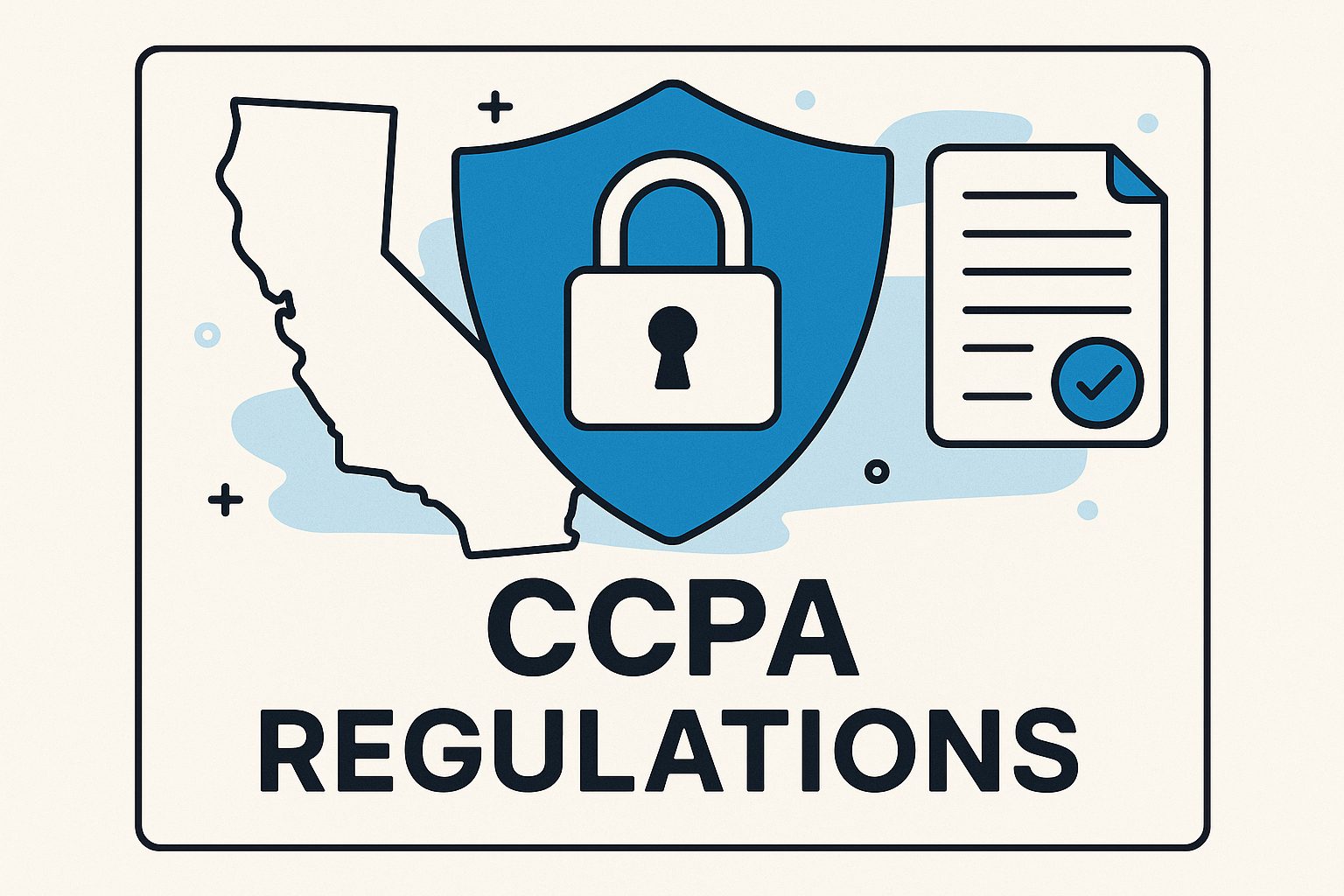
    The California Consumer Privacy Act (CCPA) is one of the most significant data privacy laws in the United States. It impacts how businesses collect, handle, and protect personal information of California residents. Whether you are a startup or a large corporation, understanding CCPA regulations is essential to build trust with customers and avoid costly penalties. This article explains what CCPA is, its key compliance requirements, and how your business can stay compliant while protecting consumer data effectively.

    What Is CCPA and Why It Matters for Businesses

    The California Consumer Privacy Act (CCPA) was enacted in 2018 and took effect on January 1, 2020. It was created to give California residents more control over their personal data and to promote transparency in how businesses use customer information. The CCPA applies to businesses that collect personal data from California residents, even if the business is located outside the state. Its main goal is to ensure that consumers know what data is being collected, why it’s collected, and how it’s used.

    For businesses, CCPA introduces a new era of data management and accountability. Any company that meets certain thresholds—such as gross annual revenues over $25 million, handling data of 100,000 or more consumers, or earning at least 50% of income from selling personal data—must comply. This law matters because it not only affects how organizations handle consumer data but also influences customer trust, brand reputation, and legal compliance. Ignoring these regulations can result in significant financial and reputational consequences.

    From a consumer’s perspective, CCPA ensures the right to know, delete, and prevent the sale of their personal information. This shift in power encourages businesses to operate more transparently while giving consumers greater confidence in how their information is managed. Understanding why CCPA matters for businesses is the first step toward building a compliant and secure data management strategy that respects user privacy and fosters long-term customer loyalty.

    Key CCPA Compliance Requirements You Should Know

    To meet CCPA requirements, businesses must prioritize clear data collection practices. They need to disclose what categories of data are collected and the purpose behind the collection. This includes names, contact details, online identifiers, and even browsing behavior. The act also grants consumers the right to request access to their personal information and to ask businesses to delete it. Maintaining transparency in privacy policies and providing clear communication channels are essential steps for compliance.

    Another core requirement is giving consumers the right to opt out of the sale of their personal data. Businesses that sell personal information must include a visible “Do Not Sell My Personal Information” link on their websites. This allows consumers to make choices about how their data is used. In addition, companies must ensure that data processing agreements with third-party vendors comply with CCPA standards, as accountability extends beyond internal systems.

    CCPA also enforces strict timelines for responding to consumer requests. Typically, businesses have 45 days to verify and fulfill such requests. They must implement secure identity verification methods to ensure that only authorized users can access or request deletion of their data. Non-compliance can lead to penalties ranging from $2,500 for unintentional violations to $7,500 for intentional ones, making it critical for businesses to implement robust systems for data governance and customer privacy management.

    How to Stay CCPA Compliant and Protect Consumer Data

    To stay compliant, businesses should start with a comprehensive data audit. This includes identifying what personal data is collected, where it’s stored, and how it’s shared. Regularly updating your privacy policy to reflect CCPA requirements is equally important. This transparency helps consumers understand their rights and the company’s data-handling processes clearly. Incorporating strong cybersecurity practices, such as encryption and access controls, can significantly reduce risks of data breaches.

    Staff training also plays a crucial role. Employees handling personal data should be aware of CCPA obligations, consumer rights, and security best practices. A well-informed team ensures that consumer requests are handled efficiently and that sensitive data is not misused or shared improperly. Establishing a designated compliance officer or privacy manager can further strengthen a company’s accountability and monitoring structure.

    Finally, it’s wise to invest in automation and technology solutions that streamline compliance processes. Tools that monitor consent management, data mapping, and consumer requests can save time and reduce human error. Pairing these tools with continuous improvement and regular audits ensures that businesses remain proactive. Staying CCPA compliant is not just about following regulations—it’s about protecting customer trust, which is one of the most valuable assets in the digital age.

    CCPA compliance is more than a legal requirement—it’s a commitment to ethical data management and consumer trust. By understanding what the CCPA entails, adopting transparent practices, and implementing security measures, businesses can ensure long-term success while maintaining consumer confidence. In a world that values privacy and transparency, being CCPA compliant sets your company apart as a responsible, trustworthy brand dedicated to safeguarding personal information.

  • How Zero Trust Network Access Improves Cybersecurity

    How Zero Trust Network Access Improves Cybersecurity

    zero trust network access

    Cybersecurity threats are evolving faster than ever before. Traditional network security models that rely on perimeter defenses are no longer sufficient to protect modern businesses. Zero Trust Network Access, or ZTNA, is becoming a key approach for organizations looking to improve data protection, prevent breaches, and strengthen overall network security. This article explores how Zero Trust Network Access works, its main benefits, how to implement it safely, and what the future holds for this powerful cybersecurity framework.

    Understanding the Basics of Zero Trust Network Access

    Zero Trust Network Access is a modern cybersecurity model designed to eliminate the concept of trust from digital environments. Instead of assuming that everything within a network can be trusted, ZTNA works on the principle of “never trust, always verify.” Every user, device, and application must be continuously authenticated and authorized before access is granted to any network resource. This model focuses on minimizing risk by strictly enforcing access controls and monitoring all connections.

    Traditional network models often operate with a strong perimeter defense, allowing users inside the network to move freely once they gain access. This approach leaves the system vulnerable if attackers manage to breach the perimeter. Zero Trust tackles this issue by segmenting network areas, ensuring that even a compromised account or device cannot access critical systems without proper verification. It essentially creates multiple layers of security checkpoints across all network activity.

    ZTNA also adapts well to the needs of remote work and cloud computing. As employees and services increasingly operate outside the corporate network, Zero Trust helps ensure that location does not determine trust. It works in hybrid and multi-cloud environments, offering seamless protection whether users access systems from offices, homes, or mobile devices.

    Another key aspect of ZTNA is its use of identity and access management tools to verify real-time user intent and behavior. Combined with technologies such as device compliance checks, micro-segmentation, and continuous monitoring, Zero Trust keeps data secure no matter where it resides or who is trying to access it.

    Key Benefits of Using Zero Trust in Cybersecurity

    One of the biggest advantages of Zero Trust Network Access is the significant reduction in data breaches. By requiring verification for every connection request, ZTNA makes it difficult for attackers to move laterally within a system. Even if one part of the network is compromised, Zero Trust limits the extent of potential damage, thereby minimizing cybersecurity incidents.

    ZTNA also enhances visibility and control over all users and devices connected to the network. Traditional models often fail to track user activity adequately, but Zero Trust solutions provide continuous monitoring and data analytics. This allows security teams to detect anomalies early and respond to threats faster. Visibility is key to ensuring compliance with industry standards and data privacy regulations.

    From a cost perspective, implementing Zero Trust can result in long-term savings. While initial deployment may require investment in new tools and training, the prevention of expensive data breaches and downtime offers excellent returns. Reducing insider threats and improving compliance further lowers operational risks and associated costs.

    Another benefit is the ability to support secure remote work environments. With cloud-based applications and mobile devices being critical to business operations, Zero Trust ensures that users connect safely, regardless of where they are located. It builds a consistent security posture that aligns with the needs of modern, flexible workplaces.

    Steps to Implement Zero Trust Network Access Safely

    Implementing Zero Trust Network Access requires careful planning and gradual integration. The first step is to identify sensitive data and critical assets. Once those are clearly mapped, organizations can design access policies that enforce strict verification rules based on each user’s role and responsibilities. This helps ensure that employees only access the information they truly need.

    Next, organizations should adopt strong identity and access management (IAM) solutions. Multi-factor authentication (MFA), single sign-on (SSO), and continuous risk assessment tools help verify each access request in real-time. Security teams must ensure these tools are integrated smoothly across both cloud and on-premises environments to maintain a unified security approach.

    Micro-segmentation is another key principle in ZTNA implementation. This involves dividing the network into smaller zones so that users or devices can only access specific areas. By reducing lateral movement, even in case of a breach, this practice limits the potential for damage and helps contain threats more effectively.

    Finally, continuous monitoring and updating are essential for maintaining a strong Zero Trust posture. Security threats evolve constantly, so ZTNA systems must regularly adapt. Automated alerts, behavior analysis, and periodic security audits help organizations stay proactive rather than reactive. Education for users and IT staff is also important to ensure long-term success.

    Future Trends of Zero Trust for Business Protection

    Looking ahead, Zero Trust Network Access will continue to evolve alongside advances in AI, automation, and cloud technology. As more businesses shift to hybrid work environments, Zero Trust frameworks will integrate machine learning to automate threat detection and enhance real-time risk assessments. Artificial intelligence can identify unusual behaviors faster than manual methods, making cybersecurity even more efficient.

    In the coming years, regulatory frameworks will likely begin to mandate some form of Zero Trust adoption, especially in sectors such as finance, healthcare, and government. This is because ZTNA directly improves compliance with data protection laws by keeping sensitive information secure and tightly controlled. Businesses that adopt Zero Trust early will gain a competitive advantage by demonstrating strong commitment to data security.

    We can also expect to see Zero Trust become tightly integrated with Secure Access Service Edge (SASE) models. The combination of ZTNA and SASE can provide a more complete and scalable solution for cloud-based networks. This approach helps unify networking and security functions into one seamless platform, improving visibility and management for businesses of all sizes.

    Finally, Zero Trust will play a crucial role in defending against emerging threats like ransomware-as-a-service and AI-driven attacks. As attackers become more sophisticated, a proactive and adaptive security framework like ZTNA ensures that organizations remain resilient, responsive, and secure in an increasingly digital-first world.

    Zero Trust Network Access is more than just a cybersecurity trend—it represents a necessary shift in how organizations protect their assets in a borderless digital environment. By verifying every connection, limiting access, and continuously monitoring all activity, ZTNA strengthens network resilience from the inside out. Businesses adopting this model can look forward to improved data security, reduced risks, and greater operational confidence. As technology and threats continue to evolve, Zero Trust will remain the foundation of modern cybersecurity strategies.

  • How to Recognize and Protect Yourself From Phishing

    How to Recognize and Protect Yourself From Phishing

    phishing attack prevention

    Phishing has become one of the most common and dangerous forms of cyberattacks in the digital world. Every day, attackers send millions of fake emails, text messages, and links designed to trick people into revealing sensitive information. Whether you are an individual, a business owner, or a developer, understanding phishing is key to staying safe online. In this article, you will learn how phishing attacks work, how to identify them, and what steps you can take to protect yourself.


    Understanding Phishing Attacks and How They Work

    Phishing is a type of cyberattack where criminals impersonate trusted entities—such as banks, employers, or popular websites—to deceive a user into sharing private details. These details often include passwords, credit card numbers, or personal identification information. Attackers rely on psychological manipulation, making their messages appear urgent or tempting to provoke quick responses.

    Most phishing campaigns start with an email or message containing a malicious link or attachment. When the user clicks on it, they are directed to a fake website that looks legitimate. This site then collects the user’s credentials or installs malware on their device. Because phishing messages mimic real communication so closely, it can be difficult to distinguish between what’s real and what’s fake.

    Interestingly, phishing attacks have evolved over time. Modern attackers use sophisticated tools powered by artificial intelligence to craft highly personalized messages. This technique, known as spear phishing, targets specific individuals or companies using information gathered from social media and other public sources. The more realistic the message, the more likely it is to be successful.

    Understanding the mechanics behind phishing helps users recognize that the threat is not just technical—it’s psychological. Cybercriminals exploit human emotions like curiosity, fear, and greed. By identifying how attackers think and operate, you can better recognize suspicious digital interactions before they cause harm.


    Common Signs to Identify a Phishing Attempt

    Recognizing a phishing attempt can save you from serious data loss or financial damage. One of the most obvious indicators is an unexpected email or message asking for personal or financial information. Legitimate organizations rarely request sensitive details through email or instant messaging. Additionally, phishing messages often contain spelling errors, poor grammar, or slightly misspelled domain names that give them away.

    Another common sign is a sense of urgency or fear within the message. For example, you might receive an email claiming your account is suspended or compromised unless you act immediately. These are tricks designed to rush you into clicking a malicious link or downloading a dangerous attachment without thinking. Always take a moment to verify the message before responding.

    Fake links are another hallmark of phishing attempts. Even if the text looks like a legitimate website, hovering over the hyperlink often reveals a suspicious or unfamiliar URL. Similarly, attachments from unknown senders can contain malware that infects your device as soon as you open them. It is always safer to delete messages that look questionable instead of investigating them through risky clicks.

    Lastly, phishing messages might use logos and branding from real companies to appear trustworthy. For added safety, check such emails by visiting the official website directly or contacting the organization’s customer support through official channels. Remember, when in doubt, avoid engaging with the message at all.


    Best Practices to Protect Yourself from Phishing

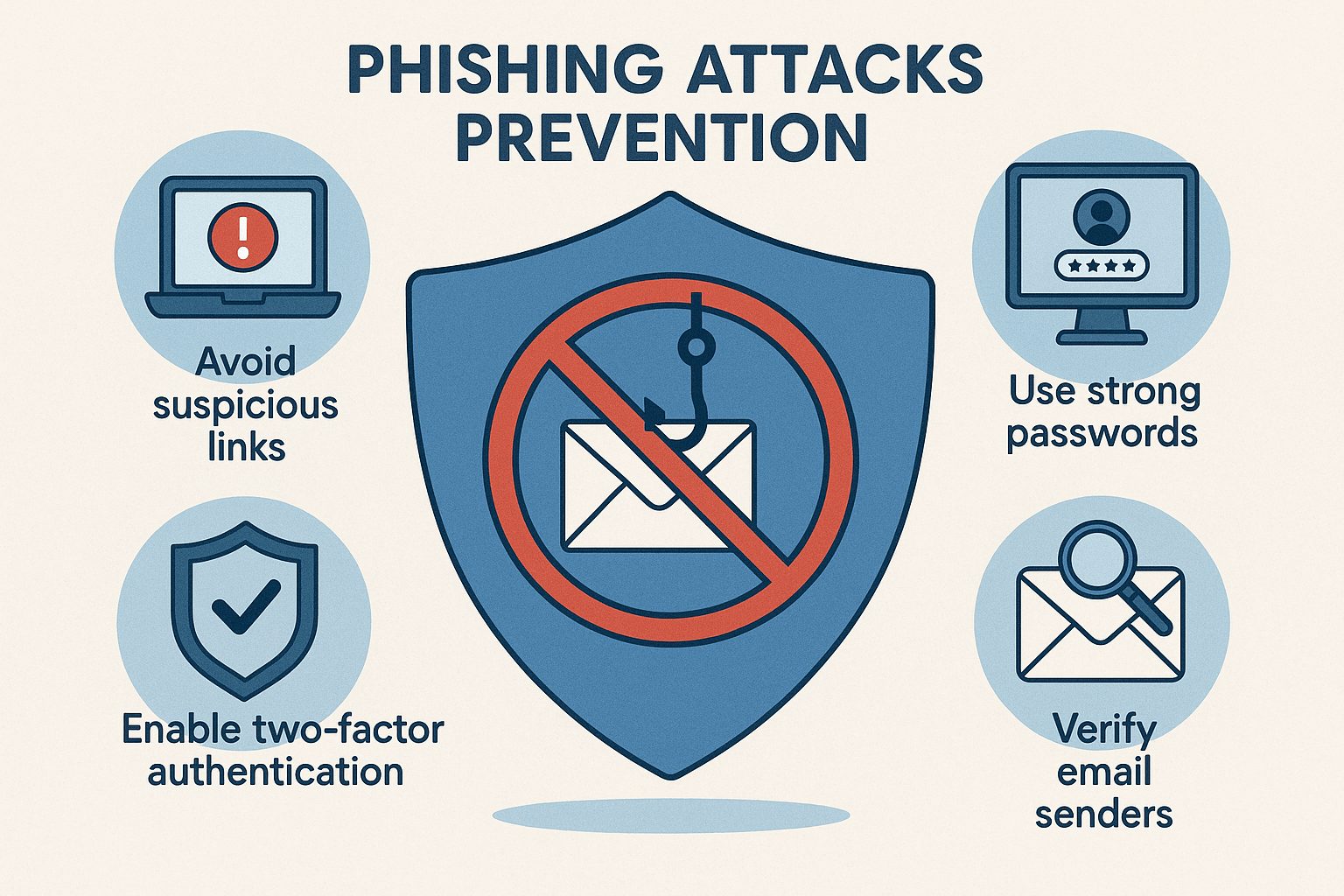
    Preventing phishing requires combining awareness with technical knowledge. Start by using email filters and enabling spam detection in your inbox to block suspicious messages automatically. Keeping your operating system, browsers, and security software updated also reduces vulnerabilities that attackers can exploit. Regular updates often include patches for known security loopholes that phishing campaigns rely on.

    Another useful defense is multi-factor authentication (MFA). Even if a criminal steals your password, MFA adds an extra layer of protection by requiring another step—like a text code or authentication app approval—before accessing your account. It’s one of the most effective ways to defend against unauthorized access.

    Education is also vital. Take time to educate yourself, your employees, or your family members about how phishing works. Run awareness programs and simulated phishing exercises to test knowledge and preparedness. The more people know about identifying phishing attempts, the smaller the risk of falling victim to them.

    Lastly, use secure password management practices. Create strong, unique passwords for every account and store them in a reliable password manager rather than reusing them. This greatly limits the damage in case one of your accounts is compromised. Phishing prevention is not a one-time measure—it’s an ongoing process of vigilance and smart habits.


    What to Do If You Fall Victim to a Phishing Scam

    Even the most tech-savvy individuals can fall for phishing attacks. If you suspect you’ve shared sensitive information with a fake site or have downloaded a malicious file, act immediately. Change your passwords for the affected accounts and any related services. If the same password was reused elsewhere, change it across all accounts.

    Next, notify the company or service that was impersonated. Many businesses have dedicated fraud teams that can help secure your account or investigate the incident. It’s also important to report phishing attempts to national cybersecurity agencies or relevant authorities. Reporting helps track and block future phishing campaigns.

    Monitor your bank and credit card statements for unusual transactions. If financial information was compromised, contact your bank immediately to freeze or monitor your account. In some cases, you may need to request a credit freeze or enable alerts to protect yourself from identity theft.

    Lastly, run a malware and antivirus scan on your device to ensure no malicious programs were installed. Learning from the experience is key—use it to strengthen your awareness and reinforce protective measures. Cybersecurity is a continuous learning journey, and even mistakes can help you build resilience.


    Phishing remains one of the most effective tools in a cybercriminal’s arsenal, but awareness and prevention can drastically lower your risk. Understanding how phishing attacks operate, recognizing warning signs, and following essential security practices all play a part in staying safe online. Remember, careful thinking before clicking is your best defense. By combining education, technology, and caution, you can outsmart phishing scammers and keep your information secure in today’s digital world.

  • How AI Is Transforming Modern Cybersecurity Solutions

    How AI Is Transforming Modern Cybersecurity Solutions

    ai in cybersecurity

    Artificial Intelligence (AI) is rapidly changing the landscape of cybersecurity by offering smarter, faster, and more adaptive methods to detect and respond to cyber threats. With the rise of complex attacks such as ransomware, phishing, and advanced persistent threats, traditional security tools are struggling to keep up. AI-driven cybersecurity solutions have become essential for protecting modern digital environments, improving detection rates, and reducing human error across industries.

    The Role of AI in Modern Cybersecurity Defense

    AI plays a crucial role in strengthening modern cybersecurity defense systems. Unlike traditional security programs that rely on predefined rules, AI systems continuously learn from new data, adapting to emerging cyber threats in real time. This ability allows AI to recognize patterns in network traffic, user behavior, and system anomalies that might indicate malicious activity. As a result, security teams can act faster and with greater accuracy.

    Another benefit of AI in cybersecurity is its ability to automate routine tasks. Manual threat monitoring and log analysis can be time-consuming and prone to human error. With AI, organizations can automatically filter false alerts, analyze massive volumes of data, and focus their attention only on genuine risks. This allows cybersecurity experts to save time and respond to critical incidents more effectively.

    Moreover, AI enhances predictive capabilities within security infrastructures. By analyzing historical attack data and ongoing threat intelligence, AI models can forecast potential vulnerabilities before they are exploited. This proactive defense approach shifts the focus from reaction to prevention, making networks more secure and resilient against constant cyber threats.

    How Machine Learning Detects Cyber Threats Faster

    Machine learning (ML), a key branch of AI, has become an essential technology in speeding up threat detection. It works by teaching algorithms to recognize normal and abnormal behavior using large datasets. Over time, ML models learn what suspicious activity looks like, such as unusual login attempts, rapid data transfers, or abnormal system behavior. This allows the system to quickly flag potential cyberattack indicators before they cause harm.

    One major advantage of ML in cybersecurity is its ability to handle big data at incredible speeds. Today’s digital systems generate enormous amounts of traffic and log data, which human analysts cannot manually review in real time. ML systems can process this information instantly, detecting risks within seconds. This speed makes a huge difference in stopping attacks before they spread across a network or compromise sensitive data.

    Machine learning also reduces false positives, improving the efficiency of security teams. Instead of spending hours investigating harmless activity, analysts can focus on verified threats identified by ML algorithms. As these algorithms continue to learn from each new data point, their accuracy improves, ensuring that organizations remain protected against both common and advanced cyber threats.

    The Future of AI-Powered Security Protection

    The future of cybersecurity will increasingly rely on AI-powered protection systems capable of autonomous response. These systems won’t just detect attacks – they will automatically contain threats, isolate infected devices, and even patch vulnerabilities without waiting for human intervention. This kind of self-defending network will be critical as cyberattacks become more sophisticated and fast-moving.

    AI will also play a larger role in identity protection and threat intelligence sharing. Using advanced behavioral analytics, AI systems will continuously monitor user identities to detect anomalies that could indicate insider threats or stolen credentials. At the same time, AI will allow for greater collaboration between organizations by analyzing and sharing threat information instantly across global networks.

    However, as AI grows more powerful, attackers are also starting to use AI for malicious purposes, such as developing smart malware or generating realistic phishing messages. Therefore, future cybersecurity strategies must include measures to secure AI itself. Combining human expertise with AI-driven automation will create the most balanced, effective, and evolving line of defense against digital attacks.

    AI is transforming cybersecurity from a reactive system into an intelligent, proactive shield against evolving digital threats. By leveraging machine learning, data analytics, and automation, modern cybersecurity solutions are becoming faster, smarter, and more capable of predicting attacks before they happen. As both threats and technologies continue to evolve, embracing AI-powered defenses will be essential for maintaining digital safety and ensuring a secure future for businesses and individuals alike.

  • Preparing Your Business for DORA Compliance

    Preparing Your Business for DORA Compliance

    cybersecurity compliacnce

    As financial institutions and digital service providers move deeper into a data-driven economy, compliance with the Digital Operational Resilience Act (DORA) becomes more critical than ever. Coming into force in January 2025, DORA is a key regulation that aims to strengthen the digital resilience of financial organizations within the European Union. It ensures that businesses are prepared to handle IT disruptions, cyber incidents, and operational risks effectively. For any business involved in financial services or supporting critical IT infrastructure, understanding and implementing DORA compliance is not optional—it’s an essential part of staying competitive and trustworthy in an evolving regulatory landscape.

    Understanding DORA Compliance Requirements 2025

    DORA is designed to unify and strengthen existing regulatory frameworks related to information and communications technology (ICT) across the EU financial sector. It applies to banks, insurance firms, investment companies, and also third-party ICT providers supporting them. The regulation demands that organizations establish comprehensive frameworks for incident detection, risk management, reporting, and business continuity. DORA’s reach extends beyond cybersecurity—it targets the entire spectrum of digital operations.

    The regulation sets out five main pillars: ICT risk management, incident reporting, operational resilience testing, third-party risk management, and information sharing. Each element supports a proactive approach to reducing vulnerability and boosting trust. Companies must adopt comprehensive ICT governance and ensure that digital systems are resilient enough to handle large-scale disruptions.

    Equally important, DORA brings accountability to top management. Decision-makers are now directly responsible for implementing sound ICT governance. This means executives must understand technical and operational risks at a deeper level, making compliance not just an IT issue—but a business-wide commitment.

    Key Steps to Build a Strong DORA Strategy

    Building an effective DORA compliance strategy begins with conducting a gap analysis. Organizations should assess their current operational resilience, internal controls, and ICT frameworks against DORA’s requirements. This initial audit will help identify weak areas needing improvement, whether in cybersecurity, data recovery processes, or third-party oversight.

    Next, organizations should tailor an Internal Governance Framework that aligns operational and security practices with DORA standards. Assigning clear roles and responsibilities, ensuring transparency, and integrating DORA compliance into daily operations are key components. It’s also essential to document policies for how the company will detect, handle, and report ICT incidents.

    Finally, collaboration is critical when building resilience. Partnering with specialized cybersecurity and compliance experts can improve understanding of specific regulatory expectations. Training employees and engaging management boards in risk awareness further ensures that everyone in the organization understands how their role contributes to DORA goals.

    Cybersecurity Best Practices for DORA Readiness

    Cyber resilience lies at the heart of DORA compliance. To prepare, businesses should adopt a layered cybersecurity approach that includes real-time monitoring, intrusion detection, and incident response planning. Continuous vulnerability scanning and penetration testing can reveal unseen weaknesses before attackers exploit them.

    Strong access management and network segmentation are vital to protect sensitive systems. Using principles like zero trust architecture ensures that even if one part of the network is compromised, the impact is minimized. Organizations should also implement multifactor authentication and enforce strict data encryption standards to secure workflows and communications.

    Reporting and testing are key DORA elements. Regular cyber drills, analytics-based monitoring, and endpoint protection help anticipate threats. Continuous improvement in these areas demonstrates operational maturity, which not only supports regulatory compliance but also helps build customer confidence.

    How to Ensure Continuous DORA Compliance Success

    After achieving initial compliance, maintaining it is an ongoing process. Organizations should implement continuous monitoring systems to track ICT risks, third-party dependencies, and operational performance. Automated compliance tools can simplify tracking and reporting, helping teams stay aligned with DORA’s evolving requirements.

    Regular audits ensure the company remains compliant even as technologies and risks evolve. Businesses should establish clear review schedules, updating their ICT governance documents and testing protocols routinely. Keeping communication open between compliance, IT, and leadership teams ensures that lessons learned from incidents or simulations are translated into process improvements.

    Furthermore, fostering a culture of resilience is essential. Employees at every level should understand not only compliance requirements but also their role in operational security. By embedding resilience into daily operations and strategic planning, businesses can transform compliance from a regulatory burden into a competitive advantage.

    Common Question: How can small businesses handle DORA compliance in 2025?

    Small and medium-sized enterprises (SMEs) can start by focusing on the fundamentals—risk assessment, cyber hygiene, and strong vendor management. Partnering with third-party DORA consultants and using managed security services can make compliance more affordable and manageable. Even small steps toward resilience can significantly reduce exposure to cyber threats.

    DORA compliance in 2025 is not just another regulation—it represents a comprehensive shift toward digital operational resilience across Europe’s financial sector. By understanding its requirements, building a strong strategy, implementing best security practices, and committing to continuous improvement, businesses can safeguard their operations and reputation. Those who view DORA readiness as an opportunity rather than a challenge will not only meet compliance duties but also strengthen their ability to thrive in a rapidly evolving digital landscape.