Tag: Vulnerability

  • Drupal Security Update: Patch the Installer RCE (CVE-2026-132165) Now

    Drupal Security Update: Patch the Installer RCE (CVE-2026-132165) Now

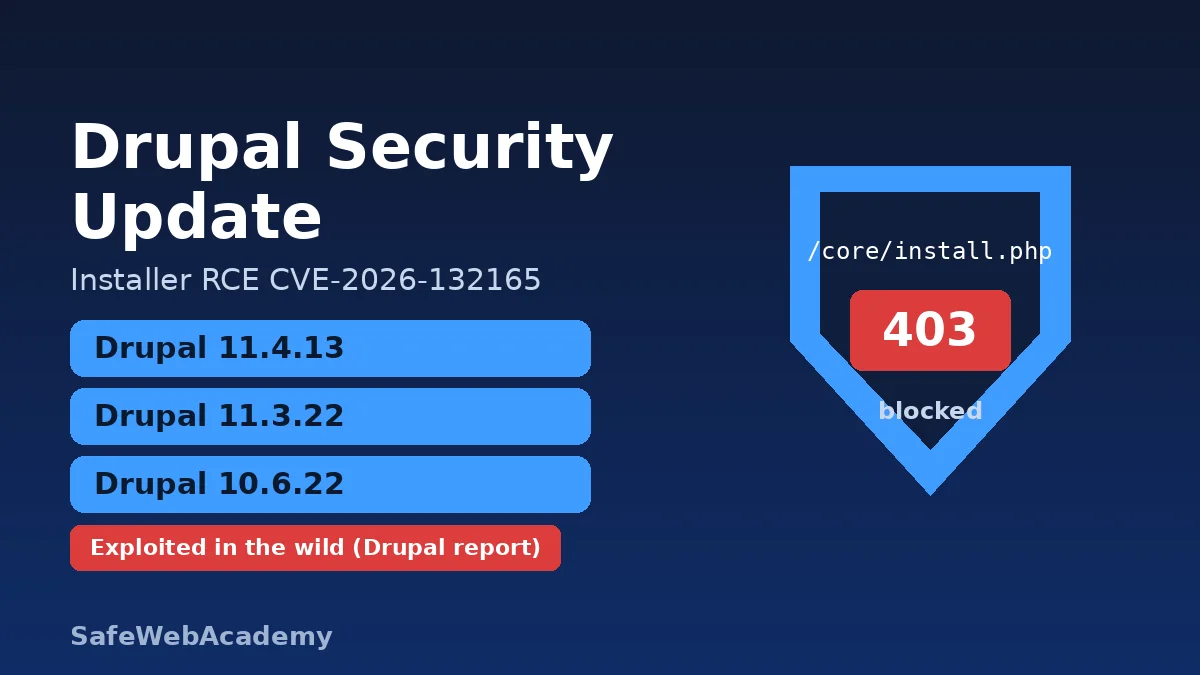
    Drupal security update graphic: blue shield over a blocked installer path for CVE-2026-132165

    Introduction

    A Drupal security update released on November 18, 2026 fixes CVE-2026-132165, a highly critical remote code execution flaw in Drupal core’s installer (install.php). The Drupal Security Team has since updated its advisory to say it received a report of exploitation on live sites. If you run Drupal 10 or 11, update to 10.6.22, 11.3.22 or 11.4.13 and block the installer today.

    This guide summarizes the official advisories SA-CORE-2026-017 and SA-CORE-2026-018. It shows how to check your version, how to patch, and what to do if you cannot patch right away. It contains no exploit details.

    Key Facts: Drupal Security Update at a Glance

    • What: Drupal core 10.6.22, 11.3.22 and 11.4.13 (November 18, 2026) fix SA-CORE-2026-017 and SA-CORE-2026-018.
    • Main flaw: CVE-2026-132165. Under specific conditions, an attacker can use install.php to try to reinstall Drupal. This can lead to site takeover or remote code execution.
    • Second flaw: CVE-2026-132166, a “gadget chain” that is not directly exploitable on its own.
    • Affected: Drupal core before 10.6.22, 11.0.0 to before 11.3.22, and 11.4.0 to before 11.4.13. End-of-life branches get no fix.
    • Severity: “Highly critical” (20/25) on Drupal’s own risk scale. NVD and CVE.org had not published the CVE records yet when we checked.
    • Exploitation: the Drupal Security Team says it received a report of exploitation on live sites as early as November 19, 2026, 19:00 UTC (21:00 Kyiv time). The CVE is not in the CISA KEV catalog (version 2026.11.20).
    • Action: update Drupal core, block /core/install.php, and make sure the web server cannot write to settings.php.

    What Is CVE-2026-132165?

    CVE-2026-132165 is a flaw in Drupal’s web installer that can let an attacker reinstall a site and take it over.

    Drupal core ships with core/install.php, which you need only once, to set up a site. According to SA-CORE-2026-017, under specific conditions an attacker can use this installer to attempt to reinstall Drupal. The advisory says this can lead to site takeover or remote code execution. It also says some exploit paths are blocked if the web server cannot write to, or change permissions on, settings.php.

    Drupal’s advisory credits Anthropic’s OSS Scanner with the discovery. The risk string is AC:Complex/A:None/CI:All/II:All/E:Exploit/TD:Uncommon. In plain terms: no login is needed, the attack is complex, the impact on data is total, an exploit exists, and only an uncommon set of sites is exposed at a given time.

    What does SA-CORE-2026-018 fix?

    SA-CORE-2026-018 (CVE-2026-132166, “Moderately critical”, 14/25) removes a chain of methods in core that an attacker could abuse only if a separate insecure deserialization bug exists. Drupal says it is not directly exploitable. The same releases fix both issues.

    Which Drupal Versions Are Affected?

    All supported Drupal 10 and 11 branches before the November 18 releases are affected, and end-of-life branches will not get a patch.

    Drupal branchAffectedFixed inStatus
    11.4.x11.4.0 to 11.4.1211.4.13Supported until April 2027
    11.3.x11.3.0 to 11.3.2111.3.22Supported until Drupal 11.5.0 (December 2026)
    11.0.x to 11.2.xAllNo fixEnd-of-life
    10.6.xBefore 10.6.2210.6.22Supported until Drupal 11.5.0 (December 2026)
    10.5.x and older, Drupal 8 and 9AllNo fixEnd-of-life

    Drupal’s release history lists 11.4.13, 10.6.22 and 11.3.22 as published on November 18, 2026, between 16:52 and 17:30 UTC. Drupal 11.5 and 12.0 betas are not covered by security advisories.

    What Is the Security Impact?

    The worst case is full site takeover, including code execution on the server, without a login.

    A successful reinstall gives the attacker control of the site, which the advisory calls a site takeover. With that control, an attacker could run code, steal data, deface pages or host malware. The advisory rates the target distribution as “uncommon,” so not every site is exposed at every moment. Still, the exploitation report makes this Drupal security update a “patch now” task for every public Drupal site.

    Drupal Steward customers are already protected from known attack vectors, according to the advisory. Drupal still asks them to upgrade soon, in case new attack vectors appear.

    How Do I Check Whether My Drupal Site Is Affected?

    Check your exact Drupal core version, then test whether the installer is reachable from the internet.

    How do I check my Drupal version?

    In the admin UI, open Reports > Status report (/admin/reports/status). From the command line, use Composer or Drush in your project directory:

    composer show drupal/core | grep versions
    drush status --field=drupal-version

    Compare the result with the table above. Anything below 10.6.22, 11.3.22 or 11.4.13 needs the Drupal security update.

    How do I check whether install.php is exposed?

    Drupal’s documentation on securing the installer gives three test requests. Replace example.com with your domain:

    curl -I https://example.com/core/install.php
    curl -IL https://example.com/install.php
    curl -I https://example.com/core/install.php/foo

    All three should end in a 403 or 404 response. A 200 means the installer is reachable.

    How Do I Apply the Drupal Security Update?

    Update Drupal core to the fixed release for your branch, run database updates, then block the installer.

    1. Back up first. Back up the database and files so you can roll back.
    2. Update core with Composer. Drupal’s update guide uses composer update "drupal/core-*" --with-all-dependencies for sites based on drupal/core-recommended.
    3. Run database updates and clear caches: drush updatedb, then drush cache:rebuild.
    4. Check the Status report again and confirm the new version.
    5. Update every copy. Include staging, disaster-recovery copies and container images.
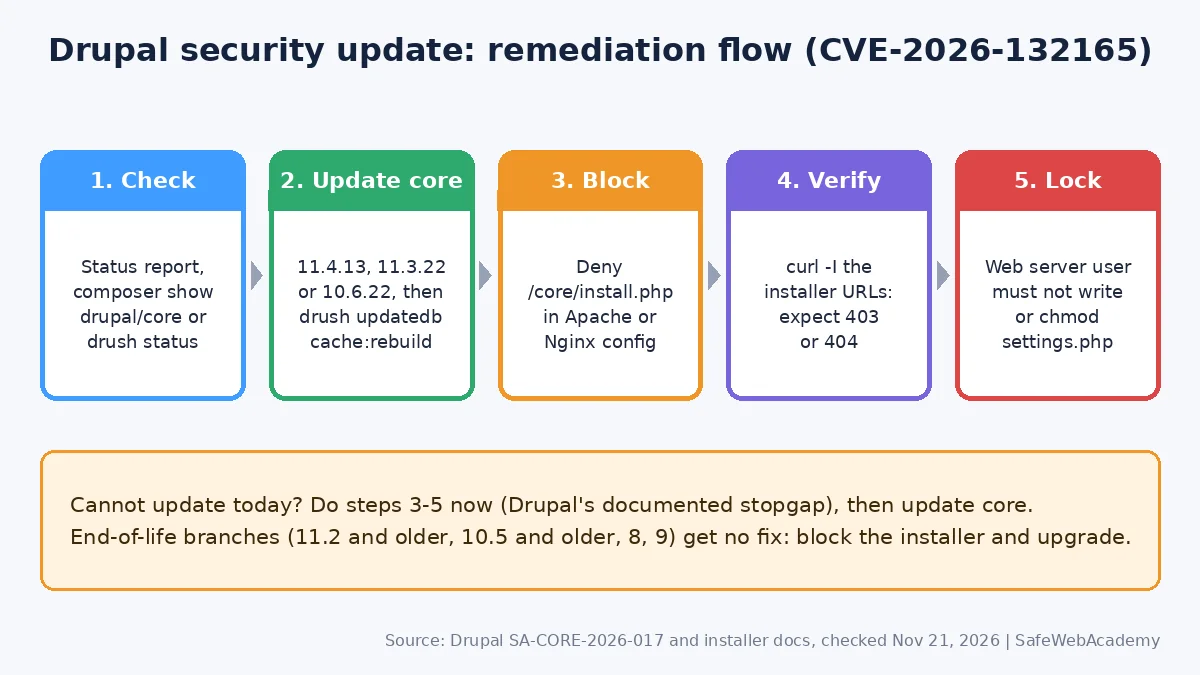
    Drupal security update remediation flow: check version, update core, block install.php, verify 403 or 404, lock settings.php
    How to apply the Drupal security update: patch core, block install.php, verify, then lock settings.php.

    How do I block install.php after installation?

    Drupal recommends blocking the installer in the web server configuration. For Apache, add this to the virtual host (not to .htaccess, which causes a 500 error for this block):

    <Location "/core/install.php">
      Require all denied
    </Location>

    For Nginx, add this inside the HTTPS server block, then run nginx -t before reloading:

    location ^~ /core/install.php {
      return 404;
    }

    Drupal warns against an exact match (location = /core/install.php), because some setups would miss /core/install.php/foo. On shared hosting, a <Files "install.php"> rule in .htaccess works, but Composer can overwrite .htaccess. Do not block update.php by mistake.

    What if I cannot update right away?

    Block the installer now, as SA-CORE-2026-017 advises, and schedule the Drupal security update for the next possible window. Also make sure the web server user cannot write to settings.php or change its permissions. This blocks some exploit paths, but it is not a full fix. Sites on end-of-life branches should block the installer and plan an upgrade to a supported branch.

    Are there known issues with the new releases?

    Yes. The 10.6.22 release notes list a theme registry regression (“Theme hook field not found”) that affects some contributed and custom code, including Search API. Drupal says the fix will ship in 11.4.14. Do not skip the Drupal security update because of it. Test on staging first.

    Additional Security Recommendations

    A Drupal security update closes this flaw, but these habits reduce the damage from the next one:

    FAQ

    Is CVE-2026-132165 being exploited?

    Yes, according to Drupal. The Security Team updated SA-CORE-2026-017 to say it received a report of exploitation on live sites as early as November 19, 2026, 19:00 UTC. As of November 21, 2026, the CVE is not in CISA’s KEV catalog (version 2026.11.20).

    Which Drupal security update do I need?

    Install 11.4.13 on Drupal 11.4, 11.3.22 on Drupal 11.3, or 10.6.22 on Drupal 10.6. Older branches are end-of-life and need an upgrade to a supported branch.

    Does blocking install.php fix the vulnerability?

    It removes the entry point that SA-CORE-2026-017 describes, and Drupal recommends it as the stopgap. It is not a replacement for updating core, which also fixes CVE-2026-132166.

    Is Drupal 7 affected?

    The advisory lists affected versions only for Drupal 10 and 11 and says Drupal 8 and 9 are end-of-life. It does not mention Drupal 7, so check with your Drupal 7 extended support vendor.

    Do I need to do anything on managed Drupal hosting?

    Confirm with your host that core is at a fixed version and that /core/install.php returns 403 or 404. Some managed platforms already block the installer, but test it yourself with the curl commands above.

    Conclusion

    This Drupal security update fixes an installer flaw that Drupal says attackers are already using. Update to 10.6.22, 11.3.22 or 11.4.13, block /core/install.php, lock down settings.php, and check every site you manage today.

    References

    All links below returned HTTP 200 when checked on November 21, 2026.

    Related Articles

    Last Verified: November 21, 2026. Prepared by SafeWebAcademy from the official Drupal security advisories, release notes and documentation linked above, and the CISA KEV catalog. This is not an official Drupal Association publication. Security details can change, so check the linked advisories for updates.
  • OWASP Top 10 Explained: A Practical Guide to Website Security

    OWASP Top 10 Explained: A Practical Guide to Website Security

    owasp

    1. What Is the OWASP Top 10, and Why Does It Matter?

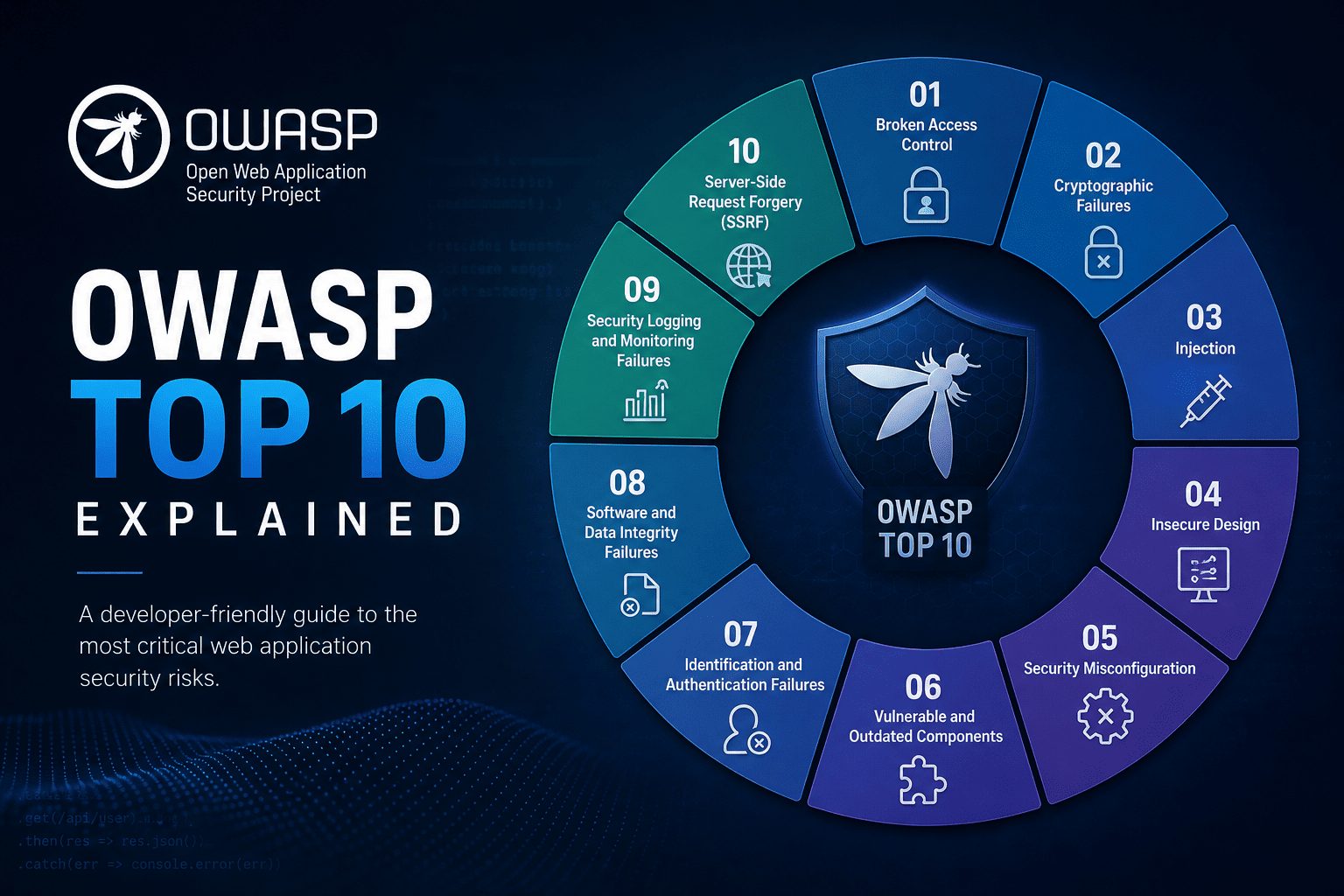
    The OWASP Top 10 is an awareness document describing ten critical categories of web application security risk. It helps developers, engineers, website maintainers and owners understand common weaknesses and prioritize safer decisions before those weaknesses become costly incidents.

    OWASP stands for the Open Worldwide Application Security Project, a nonprofit foundation that provides security resources. Its official OWASP Top 10 project page explains the risks and links to guidance for addressing them. This guide covers the OWASP Top 10:2025 edition, including categories such as Broken Access Control, Security Misconfiguration and Software Supply Chain Failures.

    These risks matter because application security affects more than code. A weakness in an online store could expose customer information, let someone take over an account or interrupt checkout. The consequences can include lost sales, recovery costs and damaged trust.

    For website teams, the list provides a shared starting point for discussing what could go wrong and where protection needs improvement. You do not need to be a security specialist to use it, but you do need to connect its lessons to your website’s features, data and users.

    2. How to Use the OWASP Top 10 Without Treating It as a Checklist

    Each OWASP Top 10 entry describes a broad risk category, not a single bug to fix and check off. In an online store with customer accounts, checkout and an administrator dashboard, broken access control could let customers view another shopper’s orders or reach administrative functions. These are different weaknesses within the same category.

    Use the list to guide awareness and priorities. It is not a complete security standard, a certification or proof that your website is secure. Your store may also have business-specific risks, such as checkout rules that allow discounts to be combined in unintended ways.

    Responsibility should be shared but explicit:

    • Developers implement safeguards in application code.
    • Maintainers manage updates, dependencies and configuration.
    • Owners fund security work and assign accountability.

    Protection works best in layers. Secure design establishes the rules, careful implementation enforces them, and dependency management reduces exposure through third-party software. Testing checks whether controls work, while monitoring helps identify suspicious activity and failures after deployment.

    Automated scanners support this work, but they cannot reliably detect every authorization or business-logic flaw. A scanner may flag an outdated library yet miss that one customer can access another’s invoice. Combine automated checks with manual reviews of important user journeys.

    3. OWASP Top 10 Risks 1–5: Access, Configuration, Dependencies, Encryption and Injection

    A01:2025, Broken Access Control

    Users can access information or actions beyond their permissions. In an online store, changing an order ID might reveal another customer’s purchase. Enforce authorization on the server for every relevant request, and deny access by default.

    A02:2025, Security Misconfiguration

    Unsafe settings leave applications exposed. For example, a production checkout page might display debugging errors containing sensitive details. Harden production configurations, disable unnecessary features and keep secrets out of public files.

    A03:2025, Software Supply Chain Failures

    Weaknesses in dependencies, build systems or software distribution can compromise your website. A compromised package could introduce malicious code during an update. Track dependencies, review updates and protect build pipelines with restricted access.

    A04:2025, Cryptographic Failures

    Missing or misused cryptographic protections expose sensitive information. For example, customer details sent without HTTPS can be intercepted. Enforce HTTPS, use established cryptographic libraries, protect encryption keys and store passwords using appropriate password-hashing algorithms, such as Argon2id.

    A05:2025, Injection

    Untrusted input becomes part of a command or executable content. For example, an unsafe search field could let input alter a database query. Use parameterized queries for database operations and context-appropriate output encoding when displaying untrusted content. Input filtering alone is not a sufficient defense.

    4. OWASP Top 10 Risks 6–10: Design, Authentication, Integrity, Monitoring and Error Handling

    A06:2025, Insecure Design

    Security safeguards are missing from the application’s design. For example, an online store’s password-reset flow allows unlimited automated requests. Define security requirements before implementation, use threat modeling to identify potential threats, and review how legitimate features could be abused.

    A07:2025, Authentication Failures

    Weak login or session controls let attackers impersonate users. For example, repeated password guesses face no meaningful resistance. Use multifactor authentication where appropriate, secure session handling, and rate limits or other defenses against automated login attacks.

    A08:2025, Software or Data Integrity Failures

    The application trusts software or data without adequate integrity checks. For example, it accepts an update without verifying authenticity. Verify trusted sources and signatures where applicable, and avoid unsafe deserialization, which can turn untrusted stored or transmitted data into dangerous application behavior.

    A09:2025, Security Logging and Alerting Failures

    Suspicious activity goes unrecorded or unnoticed. For example, repeated administrator login failures generate no alert. Record useful security events, protect logs against unauthorized access or alteration, and assign responsibility for investigating alerts.

    A10:2025, Mishandling of Exceptional Conditions

    Unexpected failures trigger unsafe behavior. For example, an authorization check encounters an error, but checkout administration remains accessible. Fail securely by denying access when checks fail, handle errors consistently, and test unusual conditions without exposing sensitive details.

    5. Turn OWASP Guidance Into a Practical Website Security Routine

    Start with a repeatable process that turns OWASP awareness into assigned work:

    1. Inventory applications and dependencies, including plugins, third-party services and software versions.
    2. Identify sensitive data and privileged functions, such as customer records, payment workflows and administrator access.
    3. Review relevant OWASP risks against those systems and workflows.
    4. Assign remediation owners and deadlines, then verify that fixes work.

    Prioritize by exposure, exploitability and business impact, not category ranking alone. A publicly reachable authorization flaw may need attention before a low-impact internal configuration issue.

    Establish the foundations: supported software, timely security updates, HTTPS, least-privilege access, protected secrets and multifactor authentication for administrative accounts.

    Build dependency scanning, code review and automated security testing into development and maintenance. Add manual authorization testing and security-focused regression tests to catch permission failures and prevent fixed weaknesses from returning. Test only systems you own or are authorized to assess.

    Small teams can start with a manageable baseline and expand it. Document incident-response contacts, configure actionable alerts and test backups regularly. Backups support recovery, but do not prevent vulnerabilities.

    For detailed requirements, use the OWASP Application Security Verification Standard. For implementation guidance, consult the OWASP Cheat Sheet Series.

    6. Keep Learning From OWASP and Make Security Continuous

    The OWASP Top 10 gives website teams a shared vocabulary for important application risks. Its value comes from applying that knowledge consistently across design, development and operations, not from reviewing the list once and considering security finished.

    Start with three practical steps:

    1. Review one critical user journey. Choose a process such as signing in, resetting a password or completing checkout. Check how it handles permissions, sensitive information and unexpected failures.
    2. Address the highest-impact weakness you discover. Consider the likely harm to customers and the business, then assign someone responsibility for fixing and verifying it.
    3. Schedule a recurring security review. Revisit protections after significant releases, dependency changes or new features. Give each review an owner so it becomes part of routine maintenance.

    Use the official OWASP Top 10 project page to explore the current edition, category explanations and linked guidance. Share relevant material with everyone responsible for building, maintaining or funding your website, so security decisions do not depend on one person’s knowledge.

    Understanding the basics helps teams ask better questions and make safer decisions. No single list, tool or review can eliminate every risk. The clear takeaway: use OWASP as a foundation for continuous security work, not as a finish line.

    Related reading

  • Zero Day Vulnerability Explained

    Zero Day Vulnerability Explained

    Zero-day vulnerability timeline from discovery to patch

    A zero-day vulnerability is a software flaw that attackers can exploit before the vendor has released a fix. Because no patch exists, ordinary updating does not protect you. This guide explains what zero-days are, how they are used, real examples from recent years, and the steps that reduce your exposure.

    What is a zero-day vulnerability?

    A zero-day vulnerability is a security flaw in software or hardware that the vendor has not yet fixed. The name comes from the vendor having had zero days to prepare a patch once the flaw is being exploited. People use three related terms:

    • Zero-day vulnerability: the unpatched flaw itself.
    • Zero-day exploit: the code or technique that takes advantage of it.
    • Zero-day attack: the use of that exploit against a target.

    Once a patch is released, the flaw is no longer a zero-day. Attackers who exploit it after that point are using an n-day vulnerability, and they rely on organizations being slow to patch.

    How a zero-day attack unfolds

    1. Discovery. Someone finds a flaw. This may be a researcher, the vendor or a criminal group.
    2. Exploitation. If attackers get there first, they use the flaw quietly against chosen targets or at scale, often for stealing sensitive information.
    3. Detection. A victim, researcher or security vendor notices the activity and reports it.
    4. Patch. The vendor investigates and releases an update or workaround, and usually publishes an advisory and a CVE identifier.
    5. Patching by customers. Organizations apply the fix. Until they do, they remain exposed, and copies of the exploit often spread.

    Detection and patching are the steps defenders control, so faster detection and faster patching shrink the risk window.

    Real-world zero-day examples

    MOVEit Transfer (CVE-2023-34362). In 2023, a SQL injection flaw in Progress MOVEit Transfer let unauthenticated attackers reach the product’s database. NVD rates it 9.8 (critical), and CISA added it to the Known Exploited Vulnerabilities catalog on 2 June 2023. Google Threat Intelligence Group lists MOVEit among the file-transfer products hit by mass exploitation of zero-days in CL0P-linked data-theft extortion campaigns, where extortion attempts typically began several weeks after the theft.

    Oracle E-Business Suite (CVE-2025-61882). Google Threat Intelligence Group and Mandiant assess that attackers exploited what may be this flaw as a zero-day from at least 9 August 2025. Oracle released its emergency patch on 4 October 2025, roughly eight weeks later. In some cases attackers stole a significant amount of data before then. See our full write-up: Oracle EBS zero-day exploit.

    Both cases show the same pattern. The target is a widely used business application that holds sensitive data, and the attackers wait to start extortion until after the data is gone.

    How to reduce your exposure to zero-days

    You cannot prevent every zero-day, but you can make attacks harder and shorter.

    • Patch fast, starting with exploited flaws. CISA’s Known Exploited Vulnerabilities (KEV) catalog lists flaws that are being used in attacks. Treat anything on it, that you run, as urgent.
    • Shrink the attack surface. Do not expose admin panels and business systems to the internet unless you must. Remove software you do not use.
    • Limit outbound traffic from servers. Many attacks need the compromised server to call out to the attacker. Blocking unneeded outbound connections can break the chain, as Mandiant recommends for Oracle EBS.
    • Put a filter in front of web apps. A web application firewall can sometimes block exploit patterns before a patch is available.
    • Segment your network and use least privilege. If a server is compromised, attackers should not be able to move freely.
    • Monitor and log. Collect logs, alert on unusual behavior, and know what normal looks like for your critical systems.
    • Keep tested backups and an incident response plan. You need to recover if an attack succeeds. Our WordPress backup guide is a good starting point.
    • Follow vendor advisories. Subscribe to security alerts for the products you run so you hear about emergency patches the day they are released, and keep your team educated about new threats.

    Frequently asked questions

    What is the difference between a zero-day and an n-day?

    A zero-day is exploited before a patch exists. An n-day is a flaw that has a patch available but has not been applied by the victim.

    Can antivirus stop a zero-day?

    Sometimes. Signature-based tools only recognize known threats, but behavior-based detection and endpoint detection and response can catch suspicious activity from an unknown exploit. Layered defenses work best.

    Who finds zero-days?

    Security researchers, vendors, government agencies and criminal groups. Responsible researchers report flaws to the vendor, while criminals keep them secret or sell them.

    How long do attackers keep using a zero-day?

    It varies. In the Oracle EBS case, Google and Mandiant assess that exploitation began about eight weeks before the patch. Once a patch is released, exploit code often spreads, so apply updates quickly.

    You cannot patch a zero-day before a fix exists, but you can limit the damage: reduce your attack surface, patch quickly once a fix is released, and prepare to respond.

    Related reading